Navigating the world of internet service providers can be a real boss battle, especially for gamers balancing work, family, and precious play time. Many wonder, 'is EarthLink good for gaming?' This in-depth guide dives into EarthLink's various internet options, examining critical factors like speed, latency, and connection reliability that directly impact your online gaming experience. We'll explore how EarthLink's Fiber, DSL, and Fixed Wireless services stand up to the demands of modern titles, from fast-paced competitive esports to social co-op adventures. We'll also cover essential optimization tips, compare EarthLink to general industry standards, and address common gamer pain points like lag and disconnects. Whether you're a casual player or a dedicated enthusiast looking to level up your connection, this article provides the clear, actionable insights you need to determine if EarthLink is the right choice for your gaming setup in 2026 and beyond. Get ready to cut through the noise and make an informed decision for smoother, more enjoyable gaming sessions.
Is EarthLink a good choice for competitive online gaming?
EarthLink's suitability for competitive online gaming heavily depends on the connection type available. If you have access to EarthLink Fiber, then yes, it can be an excellent choice due to its high speeds and critically low latency, which are essential for competitive play. However, if only EarthLink DSL is available, it is generally not recommended for competitive gaming as its higher latency and potentially inconsistent speeds can put you at a significant disadvantage.
How does EarthLink's latency impact my gaming experience?
EarthLink's latency, or ping, directly affects how responsive your game feels. With EarthLink Fiber, you can expect very low latency (often 5-20ms), meaning your actions in-game register almost instantly. This is crucial for fast-paced shooters and fighting games. With EarthLink DSL, latency can be significantly higher (30-100ms+), leading to noticeable input lag that makes games feel sluggish and can cause you to miss critical timings or reactions.
What are the best EarthLink internet speeds for modern gaming?
For modern gaming, especially online multiplayer, cloud gaming, and downloading large titles, EarthLink Fiber speeds of 100 Mbps or higher are ideal. Symmetrical speeds, where upload matches download, are a bonus for streaming your gameplay. While lower DSL speeds (e.g., 25 Mbps) might handle basic online play, they will struggle with larger downloads, multiple users, or more demanding games.
Can EarthLink handle multiple gamers and 4K streamers in one household?
Yes, EarthLink Fiber plans with sufficient bandwidth (e.g., 200 Mbps or more) are well-equipped to handle multiple gamers and 4K streamers simultaneously without significant performance degradation. The high capacity of fiber ensures that diverse internet activities can coexist smoothly. Lower-tier DSL plans, however, will likely experience congestion and slowdowns under such multi-user, high-demand scenarios.
What should I do if my EarthLink internet is slow for gaming?
If your EarthLink internet feels slow for gaming, first ensure you're using a wired Ethernet connection to your router. Then, check for any background downloads or streaming, and restart your modem and router. If issues persist, consider upgrading your router, checking your specific EarthLink plan's speed, and contacting EarthLink support to troubleshoot any local infrastructure problems or confirm your service type.
How reliable is EarthLink internet for consistent gaming sessions?
EarthLink Fiber offers high reliability for consistent gaming sessions, experiencing minimal interruptions and stable speeds. This ensures your games run smoothly without unexpected disconnects. EarthLink DSL's reliability can be more variable, especially in older infrastructures or during peak usage, potentially leading to more frequent disruptions or speed fluctuations during critical gaming moments. Always check local service reports.
Does EarthLink provide any gaming-specific customer support or features?
While EarthLink does not typically offer gaming-specific customer support lines or dedicated features like some gaming-focused ISPs, their general customer service can assist with connection issues that impact gaming. For specific game-related optimizations, you'll generally rely on standard troubleshooting steps, router settings, and community forums. Ensure you clearly describe your gaming-related issues when contacting support for the best assistance.
Hey fellow gamers! We've all been there: you finally get a few hours to unwind with your favorite title, maybe jump into a squad with friends, only to be hit with lag spikes, frustrating disconnects, or slow downloads that eat into your precious game time. It's a common struggle for many of us balancing jobs, families, and our passion for gaming. With 87% of US gamers playing regularly and many averaging 10+ hours a week, a reliable, high-performance internet connection isn't just a luxury—it's essential. This month's trends show a huge surge in social and cozy games, alongside the continued dominance of mobile and cross-play, making consistent connectivity more important than ever. So, if you're asking, "is EarthLink good for gaming?" you're asking a question that matters to countless players looking for smooth, stress-free sessions. This guide is designed to cut through the marketing jargon and give you the real talk on whether EarthLink can keep up with your gaming lifestyle, helping you optimize your setup, avoid common pitfalls, and get back to what you love: playing.
We're going to break down everything from speeds and latency to connection types and real-world performance, giving you the practical advice you need to make an informed decision. No hype, just clear answers for the average gamer who values performance, fun, and value for money.
What truly defines "good" internet for a gamer?
For gamers, "good" internet isn't just about raw download speed, though that's certainly important for quick game updates and streaming. The real heroes of a smooth gaming experience are low latency (or ping) and consistent reliability. Latency measures how quickly data travels from your computer to the game server and back; lower numbers mean less delay and a more responsive experience, crucial for competitive titles. Reliability ensures your connection stays stable without unexpected disconnects, which can ruin a match or an immersive story moment. Think of it this way: you can have a super-fast car, but if the roads are full of potholes (high ping) or suddenly disappear (disconnects), your journey won't be enjoyable.
How do EarthLink's internet speeds stack up for modern gaming?
EarthLink offers a range of speeds depending on the technology available in your area. For fiber optic connections, EarthLink can deliver symmetrical speeds from 100 Mbps up to 5 Gigabits per second (5,000 Mbps). These fiber speeds are more than ample for any type of gaming, including downloading massive game files quickly, playing graphically intense online multiplayer games, and simultaneously streaming your gameplay or having multiple household members online. Even their 100-200 Mbps fiber plans are excellent for most gamers. However, EarthLink also offers DSL (Digital Subscriber Line) in many regions, with speeds typically ranging from 1.5 Mbps to 100 Mbps, and Fixed Wireless which can vary. While lower DSL speeds might be okay for very casual, turn-based games, they will struggle significantly with modern competitive online games, cloud gaming, or large downloads.
Is EarthLink's latency competitive for online multiplayer games?
Latency is where the connection type truly shines or falters. EarthLink's fiber internet, where available, consistently delivers very low latency, often in the single digits or low double digits (e.g., 5-20 ms). This makes it highly competitive for online multiplayer, ensuring your actions register almost instantly in games like Valorant, Call of Duty, or Fortnite. For many US gamers, having sub-50ms ping is ideal for a smooth experience. DSL connections, by their nature, generally have higher latency, often ranging from 30 ms to over 100 ms, depending on your distance from the central office. This can introduce noticeable input lag, putting you at a disadvantage in fast-paced games. Fixed wireless can also be variable, sometimes offering decent latency but prone to fluctuations based on signal strength and network congestion.
What types of EarthLink connections are available and which is best for gaming?
EarthLink primarily offers three types of internet service, each with different implications for gamers:
EarthLink Fiber: This is unequivocally the best option for gaming. Fiber optic cables transmit data using light signals, offering incredibly high speeds and, crucially, very low latency. If EarthLink Fiber is available at your address, it should be your top choice for competitive online gaming, cloud gaming, and households with multiple internet users.
EarthLink DSL: Digital Subscriber Line uses existing copper telephone lines. While widely available, its performance is highly dependent on your distance from the provider's equipment. DSL speeds are generally lower, and latency is higher than fiber. For hardcore or competitive gamers, DSL is generally not recommended unless it's your only option, and even then, temper your expectations.
EarthLink Fixed Wireless: This service delivers internet over wireless signals from a local tower to a receiver at your home. It can be a good option in rural areas where fiber or cable isn't available. Performance for gaming can be decent, but it's more susceptible to environmental factors, congestion, and line-of-sight issues, which can impact both speed and latency consistency.
Can EarthLink handle multiple devices and streamers while I game?
The ability to handle multiple devices and activities simultaneously largely depends on your specific EarthLink plan and connection type. EarthLink Fiber plans, especially those 200 Mbps and above, are excellent for multi-user households. You can easily have one person gaming, another streaming 4K video, and kids on their tablets without significant slowdowns or lag. However, if you're on a lower-tier DSL plan (e.g., 25 Mbps or less), adding multiple devices, especially those streaming or downloading, will quickly saturate your bandwidth. This means your gaming experience will suffer, likely leading to increased ping and potential disconnects. Gamers balancing life with family and friends understand the need for internet that can do it all; fiber is the clear winner here.
How does EarthLink compare to other top ISPs for gaming performance?
When comparing EarthLink to other top ISPs, it's not a direct apples-to-apples comparison across the board. EarthLink often resells services over existing infrastructure (like AT&T's fiber network), meaning its fiber performance is often on par with the best fiber providers in the country—which is to say, excellent for gaming. However, its DSL offerings are generally less competitive than cable internet providers in terms of raw speed and sometimes latency. Cable ISPs often offer higher speeds than DSL but can sometimes experience more congestion during peak hours, which can affect latency. For dedicated gamers, the ideal scenario is a fiber connection, and if EarthLink offers fiber in your area, its gaming performance can certainly rival or exceed many other providers.
What specific steps can I take to optimize my EarthLink connection for gaming?
Even with a good EarthLink connection, there are always ways to squeeze out better performance:
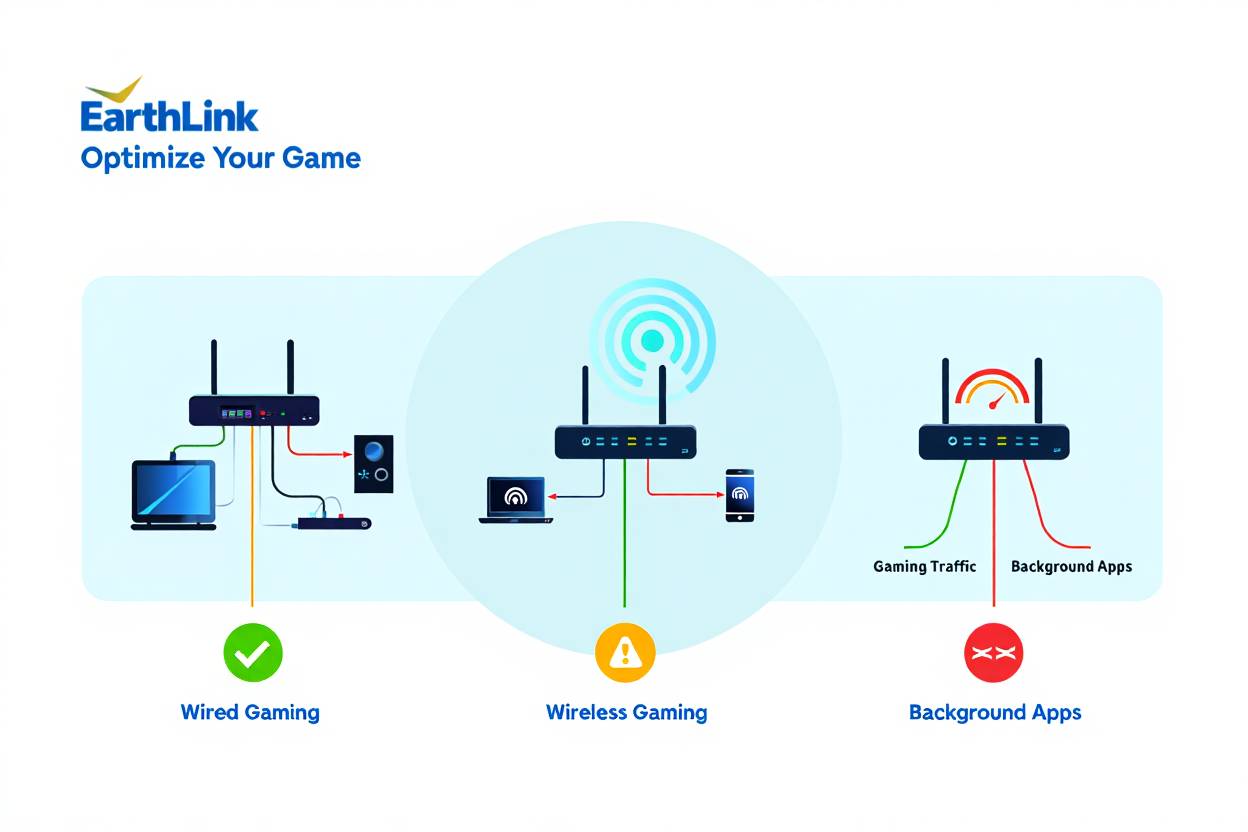
Use a Wired Connection: Always, always, always connect your gaming PC or console directly to your router with an Ethernet cable. Wi-Fi introduces latency and is prone to interference, even in the best setups. This is the single biggest improvement you can make.
Upgrade Your Router: If you're using an older router, consider upgrading to a newer model, especially one with Wi-Fi 6 or 6E if you game wirelessly. Better routers handle traffic more efficiently and can prioritize gaming data.
Minimize Network Congestion: Ask other household members to pause large downloads or streaming during your critical gaming sessions. Many modern routers also have Quality of Service (QoS) settings that allow you to prioritize gaming traffic.
Check for Background Apps: Close any unnecessary applications or browser tabs on your gaming device that might be consuming bandwidth or CPU resources.
Update Drivers and Firmware: Ensure your network adapter drivers and router firmware are up to date for optimal performance and security.
Restart Your Modem and Router: A simple restart can often resolve minor connectivity issues and improve performance by clearing out temporary glitches.
Is EarthLink a good value for the gaming experience it provides?
The value proposition of EarthLink for gaming really hinges on the type of service you can get. EarthLink Fiber, while potentially pricier than some entry-level DSL plans, often provides excellent value for the performance it delivers to gamers. You're paying for speed, low latency, and reliability that directly translates to a superior gaming experience. For gamers on a budget, considering hardware upgrades or balancing costs, a good internet connection is foundational. However, if only EarthLink DSL is available, the value might be questionable for serious gamers given its limitations compared to other technologies. Always compare the specific plan's price, speed, and reported latency with other options in your area, keeping in mind the long-term enjoyment and stability it offers for your gaming hobby.
Are there any common EarthLink gaming pain points to be aware of?
While EarthLink can provide excellent service, especially with fiber, there are potential pain points to consider. For DSL users, the primary issue is often inconsistent speeds and higher latency, particularly during peak usage times or if you're far from the DSL switching station. Customer support experiences can vary, and troubleshooting gaming-specific issues might require some persistence. Also, EarthLink's availability, especially for its top-tier fiber plans, is not universal, which can be a pain point for gamers in less urbanized areas. Setup issues, especially with older DSL equipment, can sometimes be a hurdle, though their fiber installations are generally straightforward. Being aware of these helps you manage expectations.
What do real gamers say about EarthLink for gaming?
Real gamer experiences with EarthLink are mixed, largely mirroring the differences between their fiber and DSL services. Gamers with EarthLink Fiber connections frequently report positive experiences, praising the low latency and consistent speeds necessary for competitive online play and streaming. They often find it reliable for playing popular titles and engaging in social gaming. On the other hand, gamers stuck with EarthLink DSL often voice frustrations regarding slow download speeds, high ping, and occasional disconnections, which severely impact their ability to enjoy modern online multiplayer games. Overall, the sentiment points to EarthLink Fiber being a strong contender, while DSL is generally considered subpar for a dedicated gaming setup. It is critical to check local reviews and understand the specific technology available at your address.
Does EarthLink support the latest gaming trends like cloud gaming and VR?
Absolutely, with the right connection. Cloud gaming services like Xbox Game Pass Cloud Gaming, PlayStation Plus Premium, and NVIDIA GeForce NOW demand extremely low latency and high, stable bandwidth to deliver a smooth experience, making you feel like you're playing locally. EarthLink Fiber is perfectly suited for this, providing the necessary speeds and minimal lag. Similarly, VR gaming, especially tethered VR headsets that stream PC content, benefits immensely from a robust, low-latency connection. Even standalone VR headsets that rely on Wi-Fi for social features or downloads will see better performance on a strong fiber network. DSL, however, will generally struggle to provide an enjoyable experience for cloud gaming or demanding VR setups due to its inherent latency limitations.
So, is EarthLink good for gaming? The definitive answer depends on the type of EarthLink service you can get. If EarthLink Fiber is available in your area, it's a strong contender that offers the high speeds, low latency, and reliability essential for a top-tier gaming experience in 2026, supporting everything from competitive esports to casual social play and the latest in cloud gaming and VR. For those limited to EarthLink DSL, the experience will be more constrained, likely better suited for casual or offline gaming. Ultimately, balancing your gaming needs with life's demands means choosing an ISP that genuinely supports your passion. What's your biggest gaming challenge with your current internet? Comment below!
FAQ Section
Is EarthLink Fiber fast enough for 4K streaming and gaming simultaneously? Yes, EarthLink Fiber plans, especially those 200 Mbps and above, provide ample bandwidth for multiple 4K streams and high-performance gaming without slowdowns.
Can I use my own gaming router with EarthLink? Yes, you can typically use your own gaming-optimized router with EarthLink service. You might need to bridge their modem if they provide one, but using your own router gives you more control over network settings and QoS features.
Does EarthLink have data caps that might affect large game downloads? EarthLink Fiber plans generally do not have data caps. However, some older DSL plans might have them, so it's always best to check the specific terms of your plan to avoid unexpected charges.
How important is upload speed for gaming on EarthLink? Upload speed is crucial for streaming your gameplay, voice chat, and ensuring smooth peer-to-peer connections. EarthLink Fiber offers symmetrical upload speeds, which are excellent for these activities, while DSL upload speeds are often much lower and can be a bottleneck.
What ping should I expect with EarthLink Fiber? With EarthLink Fiber, you can typically expect excellent ping times, often in the single to low double digits (e.g., 5-20 milliseconds), providing a highly responsive gaming experience.
Is EarthLink good for cloud gaming like Xbox Cloud Gaming or GeForce NOW? EarthLink Fiber is very good for cloud gaming due to its low latency and high, stable speeds. EarthLink DSL, however, is generally not recommended for cloud gaming as it will likely result in significant input lag and a poor experience.
EarthLink's gaming suitability depends heavily on connection type, with Fiber being superior for low latency and high speeds. DSL can suffice for casual gaming but may struggle with competitive titles or multiple users. Fixed Wireless performance varies by location. Gamers should prioritize low ping, consistent speeds, and check local EarthLink infrastructure for the best experience. Optimization tips like wired connections and router management are crucial regardless of provider.
34

Is EarthLink Internet Good For Gaming Our Complete 2026 Performance Guide Is EarthLink Internet Good For Gaming In 2026 . Is EarthLink Internet Good For Gaming Speed Latency Reliability . Is EarthLink Internet Good For Gaming Our Complete 2026 Performance Guide Is EarthLink Internet Good For Gaming . Is Earthlink Internet Good For Gaming Is Earthlink Internet Good For Gaming.webp. Is Earthlink Internet Good Is Earthlink Internet Good For Gaming.webp




Switch To EarthLink Internet Og Image . Is 5G Good For Gaming EarthLink 5G Good For Gaming . Is EarthLink Internet Good For Gaming Our Complete 2026 Performance Guide Is Earthlink Internet Good 1300x867 . The Best Earthlink Email Only Plans CablePapa Image. Is 5G Good For Gaming EarthLink Blog Post Thumbnail Is 5G Wireless Home Internet Good For Gaming

Is EarthLink Internet Good For Gaming Our Complete 2026 Performance Guide Competitive Online Gaming Speed . Is EarthLink Internet Good For Gaming Our Complete 2026 Performance Guide What Types Of Internet Does EarthLink Actually Offer . Is Earthlink Down March 26 2026 Earthlink Down DesignTAXI Image . Internet Providers In Sacramento In 2026 Find The Best Deal Earthlink . What Is A Good Internet Speed For Gaming Com Hsi Earthlink Outages Featured Image.webp



Compare EarthLink Vs Spectrum Internet Plans 2026 EarthLink Vs Xfinity Plans Fees 2026 Featured Image . Top 10 Most Anticipated Games Of 2026 What To Watch Out For TVN GAMES IN 2026 . Compare EarthLink Vs Optimum Plans Fees 2026 EarthLink Provider Logo . 10 Best Gaming Phones In 2026 10 Best Gaming Phones 2026 Main . April Gaming Calendar 2026 New Game Releases Events Must Play Titles Game Releases Full Calendar Release Dates Main





Best Gaming Setup 2026 Monitors Chairs More ESports Gear Webp. Is 5G Good For Gaming EarthLink Rr Business Ad . Video Games 2026 Ones To Watch Part 1 Quest Daily 2026 Games Pt 1 . What Is A Good Internet Speed For Gaming 2026 Cable TV Info What Is A Good Internet Speed For Gaming 768x512 . Xbox Game Showcase 2026 Trailers Release Dates TAFT Independent 2026 Video Game Release Dates Post Feature Image




Best Gaming Laptops At CES 2026 RTX 5090 Options Dual Screen Picks Lenovo Legion Pro Rollable Concept. The CES 2026 Gaming Lineup That Set The Bar For The Year Ahead Gadget Csm AdobeStock 285904462 KONZERN ST BNG Bearbeitet 01 67bfdf7916 . EM Disaster Gaming 2026 Roadmap Disaster GamingCon 2026 Planning Kickoff Meeting . Green For Growth 2026 Seeds For Change EarthLink NTU Vegan Festival 1024x581 . The Best Gaming Phones For 2026 The Best Gaming Phones For 2025 2g66


2026 Video Game Gaming Milestone List Cubed3 2026 Video Game Gaming Milestone List Insights Screenshot Art 14 1000x563 . EarthLink Internet Review Plans Prices Coverage Si Earthlink Review.webp. 7 Best Gaming PCs Of 2026 Power Performance And Value Revealed Top Gaming Pcs 2026 1lmv2 . Jungwon ENHYPEN Biography Background Net Worth 2026 Career And Sister 1772020042