Unlock the secrets of GTA 5 auto aim, a crucial feature for every type of gamer. Discover how to customize settings, understand its impact on gameplay across story mode and GTA Online, and master techniques to enhance your combat efficiency. This guide offers navigational and informational insights into auto aim's role in balancing fun with skill, especially for busy adults who seek relaxation and social connection through gaming. Learn to optimize your experience, improve your aiming, and truly enjoy the expansive world of Los Santos without the intense grind. Dive deep into the benefits and drawbacks of auto aim, ensuring your precious gaming time is always maximized. Explore the latest trends and practical tips for seamless integration into your gameplay.
What is GTA 5 Auto Aim?
Auto aim in Grand Theft Auto V is an accessibility feature designed to assist players with targeting enemies. It helps your reticle snap onto or track opponents, making combat more manageable and enjoyable for a wide range of players.
How Do I Enable or Disable Auto Aim in GTA 5?
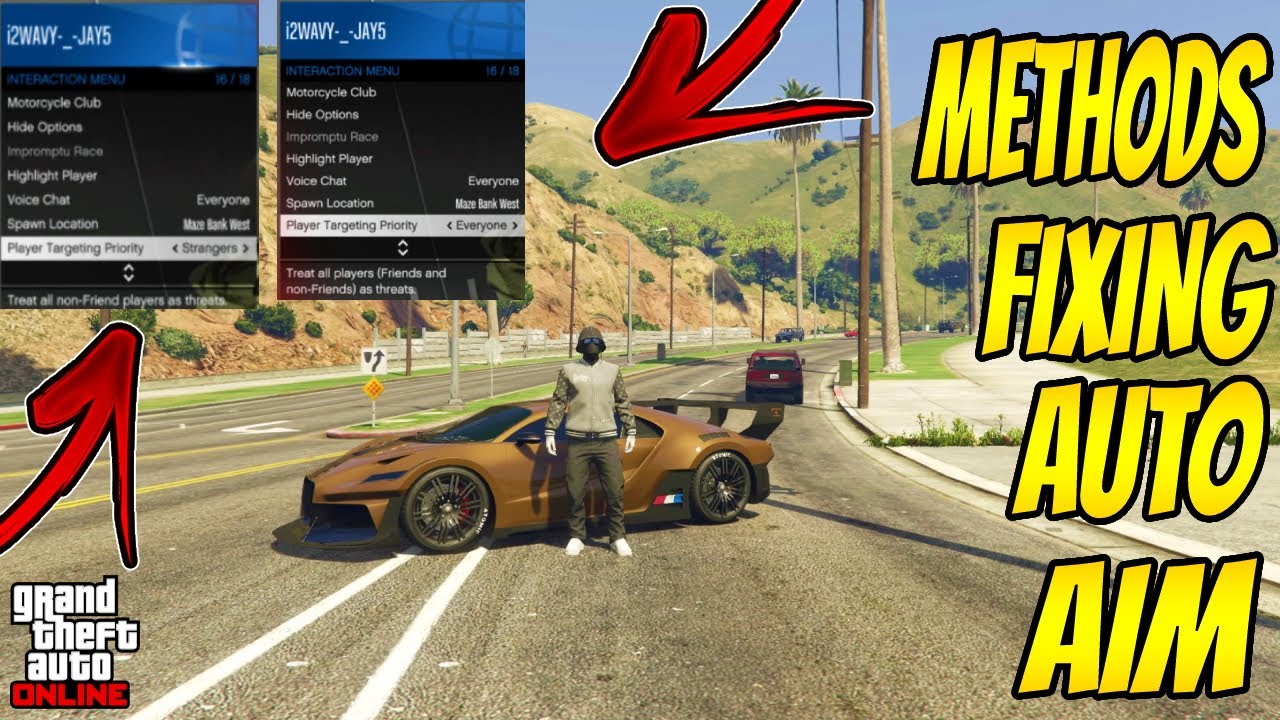
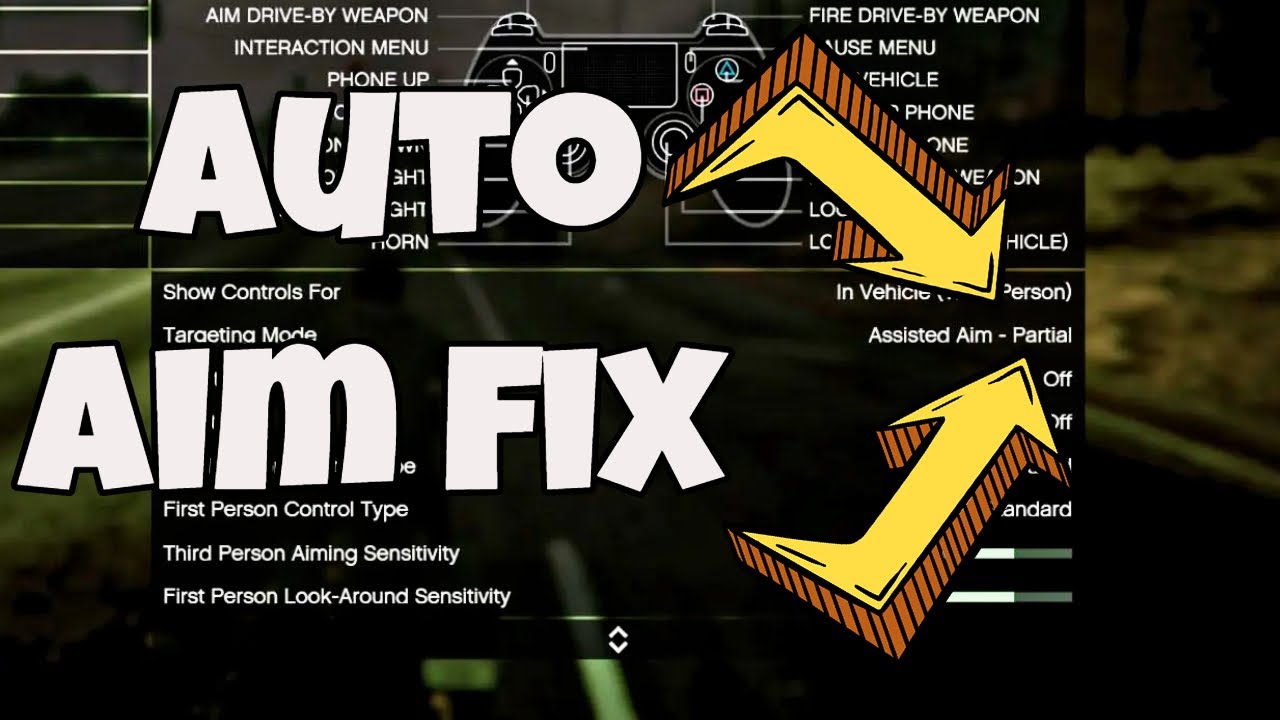
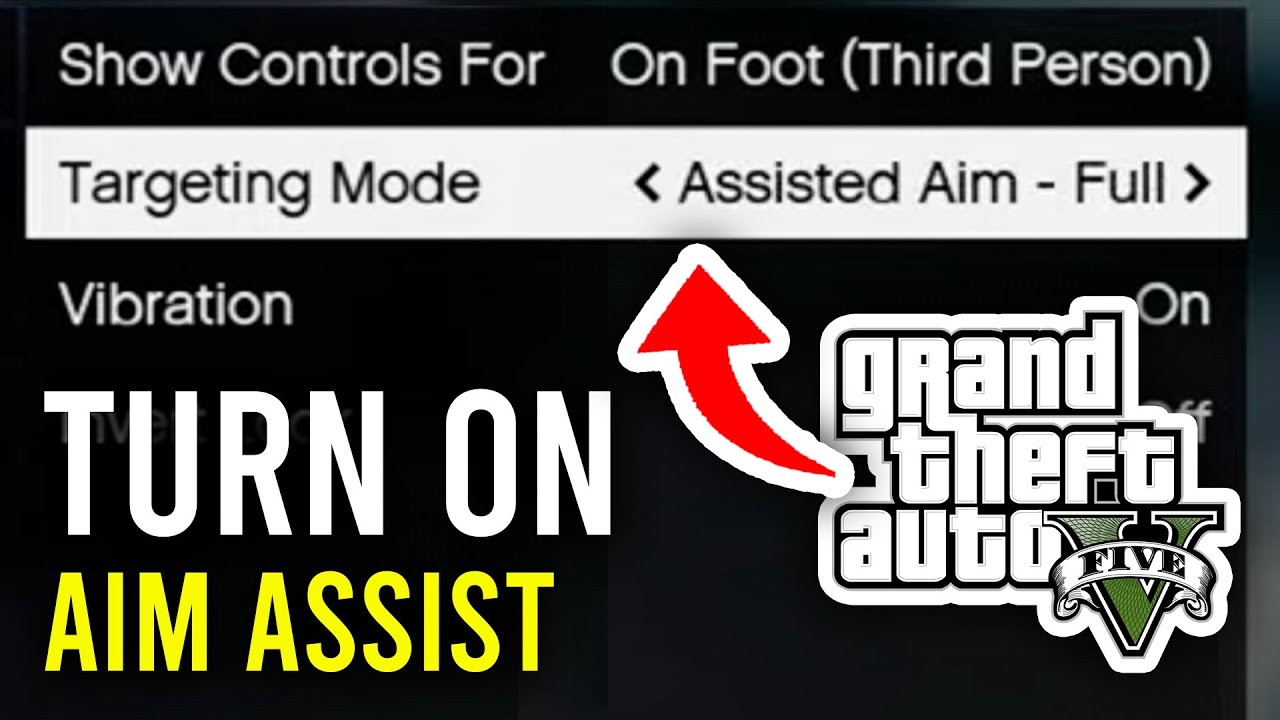
You can adjust auto aim settings through the in-game Pause Menu. Navigate to 'Settings,' then 'Controls,' and finally select 'Targeting Mode' to choose between 'Assisted Aim - Full,' 'Assisted Aim - Partial,' or 'Free Aim' based on your preference.
Does Auto Aim Work Differently in GTA Online Compared to Story Mode?
Yes, GTA Online lobbies are often segregated by aim preference, typically separating players into full auto-aim or free-aim lobbies. This ensures fair play, as you'll primarily compete against others using similar aiming mechanics.
What Are the Benefits of Using Auto Aim for Casual Gamers?
For busy gamers balancing life commitments, auto aim offers a more relaxed experience. It reduces combat frustration, allowing them to enjoy the vast world of Los Santos and social interactions without needing extensive skill practice, maximizing their limited gaming time.
Can Auto Aim Be Considered Cheating in GTA 5?
No, auto aim is not considered cheating in GTA 5. It is an official, built-in game setting provided by Rockstar Games to enhance accessibility and enjoyment for all players. The game's lobby segregation further ensures fair competition.
What is Soft Lock vs Hard Lock Aim Assist in GTA 5?
Soft lock aim assist provides a gentle pull towards targets, requiring more player input for precision. Hard lock, often seen in 'Assisted Aim - Full,' can fully snap your reticle onto an enemy, offering a stronger, more consistent target acquisition.
Are There Any Drawbacks to Relying Heavily on GTA 5 Auto Aim?
Over-reliance on auto aim might hinder the development of manual aiming skills, which could be a disadvantage in free-aim scenarios or other games. It can also sometimes make precise headshots slightly more challenging without careful adjustment after the initial lock-on.
Life's a constant juggle, isn't it? For many of us, gaming isn't just a hobby; it's a vital escape, a way to unwind after a long day, connect with friends, or simply blow off some steam. But when you're balancing a job, family, and other commitments, finding the time to master every pixel-perfect headshot in a game like Grand Theft Auto V can feel impossible. You want to jump in, have fun, and dominate without the grind. You're not alone; recent US gaming stats show that roughly 87% of gamers play regularly, often for 10+ hours a week, and many of those are busy adults like us, seeking relaxation and efficient fun. This is where GTA 5's auto aim feature becomes a game-changer. Far from being a crutch, auto aim can be a powerful tool for optimizing your enjoyment, allowing you to focus on strategy, driving, and the sheer chaos of Los Santos, rather than wrestling with your aiming reticle. Whether you're a seasoned veteran returning to the streets of Blaine County or a newcomer looking to get started without the steep learning curve, understanding how to effectively use and customize GTA 5 auto aim can elevate your experience. This comprehensive guide will explore everything you need to know about auto aim, helping you get the most out of your precious gaming time.
What is Auto Aim in GTA 5 and How Does It Work?
Auto aim in Grand Theft Auto V is an in-game accessibility feature designed to assist players with targeting enemies. When enabled, it helps your aiming reticle snap onto or track opponents, making combat significantly less challenging. There are typically different levels of auto aim, often referred to as 'Assisted Aim - Full' or 'Assisted Aim - Partial.' Full assistance provides a strong lock-on, keeping your reticle firmly on the enemy, while partial assistance offers a lighter touch, guiding your aim without fully taking over. This system leverages the game's internal mechanics to detect nearby hostile targets and provide a helping hand, especially useful in fast-paced firefights or when dealing with multiple enemies simultaneously. It's a fundamental part of the console GTA experience and often impacts how players engage in the game's vast open world.
Why Do Gamers Rely on Auto Aim in GTA 5 and GTA Online?
For many US gamers, particularly those balancing demanding careers and family life, time is a precious commodity. GTA 5 auto aim offers an immediate solution to the challenge of acquiring and maintaining targets, transforming potentially frustrating combat encounters into enjoyable, action-packed moments. It allows players to unwind and focus on the game's rich narrative, exploring its massive world, or engaging in social activities with friends online, rather than spending countless hours perfecting their aim. This efficiency is especially valued in GTA Online, where chaotic player-versus-player (PvP) scenarios or intense missions often require quick reflexes. Auto aim helps level the playing field, ensuring that even casual players can contribute effectively and feel competitive without the pressure of being a top-tier sharpshooter. It embodies the essence of modern gaming trends: accessibility, fun, and social engagement for everyone, regardless of skill ceiling.
How Can I Adjust My Auto Aim Settings in GTA 5 for Optimal Play?
Adjusting your auto aim settings in GTA 5 is straightforward and crucial for tailoring your gameplay experience. To do this, pause the game, navigate to the 'Settings' menu, then select 'Controls.' Within the 'Controls' options, you'll find 'Targeting Mode.' Here, you can typically choose from several options:
- Assisted Aim - Full: This is the most robust auto aim, offering a strong lock-on to enemies within a certain range. It's ideal for players who want maximum assistance and a more relaxed combat experience.
- Assisted Aim - Partial: This mode provides a lighter form of assistance. Your aim will gravitate towards enemies, but you'll still need more manual input to track and fine-tune your shots. It's a good middle-ground for those looking for some help without feeling like the game is doing all the work.
- Free Aim: As the name suggests, this option completely disables auto aim. You'll rely entirely on your manual aiming skills, which can be more challenging but also more rewarding for skilled players seeking a pure test of their abilities.
Experimenting with these settings can significantly impact your enjoyment, allowing you to find the perfect balance that suits your playstyle and comfort level. Remember to test them in various scenarios, from single-player missions to GTA Online free mode, to see what works best for you.
Does Auto Aim Give an Unfair Advantage in GTA Online PvP?
The debate around whether auto aim provides an unfair advantage in GTA Online PvP is a long-standing one. Rockstar Games addresses this by segregating players into different lobby types based on their targeting mode preference. If you're using 'Assisted Aim,' you'll primarily be matched with other players who also have some form of aim assistance enabled. Conversely, if you choose 'Free Aim,' you'll join lobbies populated by other free-aim players. This system ensures that players compete against others with similar aiming mechanics, creating a more balanced and fair competitive environment. While some players might argue that even in assisted lobbies, there's a skill gap, the game's matchmaking largely prevents truly 'unfair' cross-mode engagements. It's a design choice that prioritizes player choice and aims to make the game enjoyable for a broad audience, from casual gamers to dedicated sharpshooters.
When Should I Consider Disabling Auto Aim in GTA 5?
While auto aim is a fantastic tool for many, there are situations where disabling it or opting for 'Free Aim' can actually enhance your GTA 5 experience. Firstly, if you're looking to significantly improve your raw aiming skills and truly challenge yourself, free aim is the way to go. Many hardcore gamers prefer the satisfaction of landing precise shots purely through their own input. Secondly, for specific tactical scenarios like long-range sniping or shooting through small gaps, auto aim can sometimes hinder precision by snapping to unintended targets or the body instead of the head. Advanced players often find that manual aiming offers greater control in these delicate situations. Lastly, if you primarily play other competitive shooters that demand free aim, practicing without auto aim in GTA 5 can help maintain your overall aiming proficiency across different titles. It's about personal preference and what you aim to achieve from your gaming sessions.
Are There Specific Strategies for Using GTA 5 Auto Aim Effectively?
Even with auto aim enabled, there's an art to maximizing its effectiveness in GTA 5. It's not just about letting the game do all the work. Here are some pro tips:
- Snap and Adjust: Auto aim often snaps to the enemy's torso. After the initial lock, quickly flick your right analog stick (on a controller) slightly upwards. This swift movement can adjust your aim from the body to the head, allowing for quicker, more damaging headshots that are crucial for taking down opponents efficiently.
- Target Cycling: In a group of enemies, auto aim will lock onto one. Use the right analog stick to quickly cycle through targets by tapping it right or left. This is invaluable for managing multiple threats and prioritizing dangerous foes.
- Utilize Cover: Combine auto aim with smart cover usage. Pop out from cover, let auto aim snap to a target, get your shot off (and maybe a headshot adjustment), then quickly return to cover. This minimizes your exposure while maximizing your damage output.
- Vehicle Combat: Auto aim is a lifesaver in vehicle combat. It helps you track moving targets from a moving vehicle, making drive-by shootings far more manageable. Focus on steering and navigating, letting the auto aim assist with the targeting.
- Practice Movement: Don't neglect your movement. Even with auto aim, a moving target is harder to hit. Continuously strafing and dodging while shooting makes you a tougher opponent and helps you flank enemies while your aim stays locked.
By integrating these strategies, you'll transform auto aim from a simple assist into a powerful combat multiplier, making your GTA 5 experience smoother and more dominant, even with limited practice time.
How Does Auto Aim Affect Skill Development and Long-Term Improvement?
The impact of GTA 5 auto aim on skill development is a nuanced topic, especially for gamers who balance life and play. On one hand, relying heavily on full auto aim can potentially hinder the development of fundamental aiming skills like precision, tracking, and leading targets. If the game is always doing the heavy lifting, your manual dexterity and reaction times for aiming might not improve as rapidly. This could pose a challenge if you transition to other games that offer less assistance or demand pure free aim. On the other hand, for the average adult gamer (around 36 years old, as per US gaming demographics), the primary goal is often relaxation and fun, not becoming an esports pro. In this context, auto aim allows them to enjoy the game's core loop without frustration, freeing up mental bandwidth to focus on strategy, mission objectives, and social interactions. It enables them to participate and succeed, fostering a sense of accomplishment without the intense grind. For those who want to improve, transitioning from 'Assisted Aim - Full' to 'Assisted Aim - Partial' and eventually to 'Free Aim' can be a gradual, rewarding path. It's about finding the right balance for your personal gaming goals and available time.
Understanding Aim Preference and Lobby Matching in GTA Online
While GTA 5 does not support true cross-play between PC and consoles, its matchmaking system within GTA Online is ingeniously designed to ensure fair competition based on aiming preferences. When you select your 'Targeting Mode' in the settings (Assisted Aim or Free Aim), the game places you into lobbies with other players who have chosen the same mode. This means console players using auto aim will typically play with other console players using auto aim, and free-aim players (on any platform) will be matched with fellow free-aimers. This segregation is critical for maintaining balance and preventing situations where players with significant aiming advantages (like mouse and keyboard users on PC) are directly pitted against controller users relying on auto aim. It creates an environment where everyone can enjoy the game's chaotic fun on relatively equal footing, which is especially important for the 60% of gamers who value social play and a level competitive field without needing to invest in constant skill training.
Tips for Maximizing Your GTA 5 Auto Aim Experience?
To truly get the most out of your GTA 5 auto aim experience, consider these practical tips designed for busy gamers:
- Optimize Controller Sensitivity: Even with auto aim, your controller's sensitivity impacts fine adjustments. Experiment with slightly lower sensitivity settings to make those crucial headshot nudges more precise after an auto aim lock. You can find this in your 'Settings' under 'Controls.'
- Learn the Weapon Wheel: Quickly switching between weapons is vital. Master the weapon wheel to select the right tool for the job. While auto aim helps with targeting, choosing an effective weapon for the range and enemy type will significantly boost your combat efficiency.
- Utilize Environment: Always be aware of your surroundings. Use cars for cover, narrow alleys for ambushes, and elevated positions for tactical advantage. Auto aim becomes even more potent when combined with smart environmental play, allowing you to dominate engagements.
- Stay Connected: For many, GTA Online is about social play. Coordinate with friends who also use auto aim. Group tactics, even with aiming assistance, are far more effective than going solo, making missions and free-mode battles more fun and successful.
- Regular Updates Check: Rockstar consistently releases updates. Sometimes these can subtly tweak aiming mechanics or add new weapons that interact differently with auto aim. Stay current with game news to adapt your strategies.
- Balance with Other Activities: Remember, GTA 5 offers so much more than combat. Use auto aim to make combat fluid, then dive into races, business management, exploring, or just cruising with friends. This balance makes for a well-rounded and relaxing gaming session.
By implementing these tips, you'll find that auto aim transforms into a powerful ally, allowing you to seamlessly enjoy all the chaos and freedom that Los Santos has to offer, without the added stress of pixel-perfect aiming. It's about smart gaming for a smart lifestyle.
Conclusion
Navigating the sprawling world of Grand Theft Auto V, especially when life demands so much, can be a challenge. But with a solid understanding of GTA 5 auto aim, you can truly tailor your experience to maximize fun and minimize frustration. It's about finding that sweet spot where gaming enhances your relaxation and social connections, rather than becoming another chore. Remember, whether you prefer full assistance or a more hands-on approach, the goal is always to enjoy your limited gaming hours to the fullest, building skills and friendships along the way. Your gaming time is valuable, and tools like auto aim are there to help you make the most of it without breaking the bank on elite gear or spending countless hours on practice. What's your biggest gaming challenge when balancing life and play? Comment below and share your strategies!
FAQ Section
Q: Can I use auto aim on PC in GTA 5?
A: Yes, if you're using a controller on PC, you can typically enable auto aim. Mouse and keyboard players generally rely on free aim, though game settings might offer slight target friction.
Q: Does auto aim work with all weapons in GTA 5?
A: Auto aim generally works with most firearms in GTA 5, including pistols, assault rifles, and SMGs. However, it's less effective or sometimes non-existent for weapons like sniper rifles, RPGs, or throwing items where precise manual targeting is intended.
Q: Is using auto aim considered cheating in GTA Online?
A: No, using auto aim is not considered cheating in GTA Online. It's an official in-game feature provided by Rockstar Games. The game even separates players into different lobbies (Assisted Aim vs. Free Aim) to ensure fair play among those with similar preferences.
Q: How do I quickly toggle auto aim on or off during gameplay?
A: There isn't a direct in-game hotkey to toggle auto aim on and off instantly during active gameplay. You must pause the game, go to 'Settings,' then 'Controls,' and change your 'Targeting Mode' there. This makes it a setting preference rather than an on-the-fly switch.
Q: Does auto aim help with headshots in GTA 5?
A: While auto aim snaps to the body, it can be a setup for headshots. Once locked, a slight flick upwards of the right stick (on a controller) can quickly adjust your aim from the chest to the head, allowing for faster, more precise critical hits once you master the technique.
Q: What are the best controller settings to complement auto aim in GTA 5?
A: To complement auto aim, experiment with controller sensitivity. A slightly lower sensitivity can offer more precise micro-adjustments after the initial auto aim lock. Also, ensure your controller's deadzones are calibrated correctly in your system settings to avoid stick drift impacting your fine-tuning.
Benefits of auto aim in GTA 5 how to adjust auto aim settings impact on PvP and PvE enhancing casual gameplay balancing skill development with assistance GTA 5 aim assist options strategies for effective auto aim use
35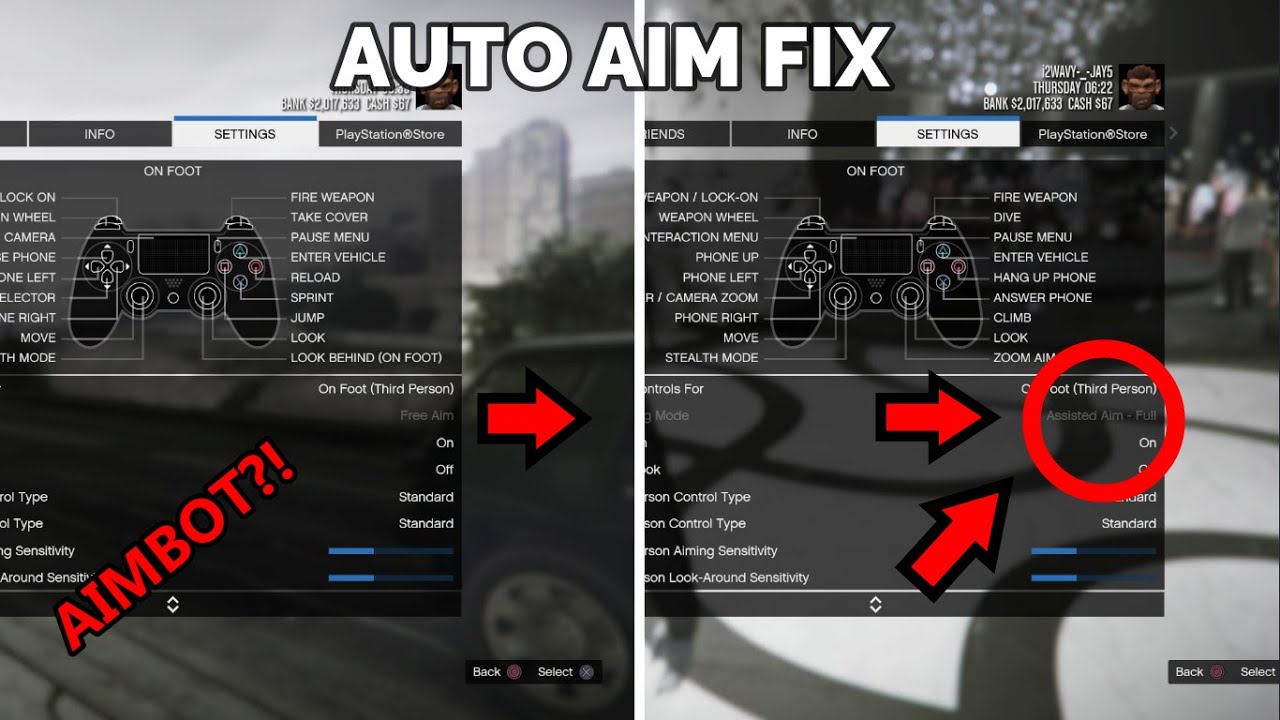



How To Get FULL AUTO AIM In Gta 5 Online YouTube . How To Enable Assisted Aim FULL Auto AIM ASSIST Solved GTA 5 . How To FIX AUTO AIM ISSUE In Gta 5 Online YouTube . HOW TO FIX AUTO AIM IN GTA ONLINE YouTube . GTA 5 Glitches How To Use Auto Aim In A Free Aim Session After Patch


How To Turn Auto Aim On In Gta 5 Online YouTube . GTA 5 How To Customize Your Aim Sight Crosshair Or Dot Aiming . How To Turn On Aim Assist In GTA 5 Online Easy Guide YouTube . How To Use AIM ASSIST In GTA V On PC YouTube . How To FIX TURN On Auto Aim Assist On GTA 5 Online 2022 YouTube



How To Install GTA V Aim Mod In GTA SA Gta V Aiming Mod For Gta Sa PC . GTA 5 Enhanced December 2025 Update Released GTA 5 Enhanced Enhanced 3 . GTA 5 HOW TO TURN AUTO AIM ON OR OFF ONLINE FOR ALL CONSOLE S PS4 . Auto Aim For All Weapons GTA5 Mods Com 10a266 1 . What Is The Fastest Car In GTA 5 2025 Update Blogpost What Is The Fastest Car In GTA 5 Black Sports Car Image Cover.avif



GTA 5 Grand Theft Auto T L Charger Pour PC Gta 5 18022 4 . GTA 5 Online How To Turn Aim Assist Back On Tutorial Fix Locked . How To Set Auto Aim In GTA San Andreas PC 2025 Fast Easy Guide . GTA Online Cars With The Highest Ranked Gta 5 Cars Feature Image . GTA 5 How To Turn On Aim Assist Player Assist Game Guides Featured Image Gta 5 How To Turn On Aim Assist


How To Enable Aim Assist In GTA 5 Online Step By Step Guide GTA 5 . Gta 6 2025 Or 2026 Grand Theft Auto V Inc Update 4 MedienHome De Grand Theft Auto 8K GTAV Real Scaled . 2026 Grand Theft Auto Universe Wiki Fandom 1200. GTA 5 Online Business Tier List 2026 Updated For Mansions DLC GTA Online Money Fronts Summer DLC Release Date 1536x864 . All Grand Theft Auto V Cheats For PlayStation 5 All Gta 5 Cheats Ps5 Featured


Gta 5 Annihilator Cheat All GTA 5 Cheat Codes And Secrets For PC And Ps3 Gta 5 Cheats . Grand Theft Auto VI . Epic Games Gta 5 Social Grand Theft Auto V 99 998 EGS S1 2560x1440. Grand Theft Auto V Enhanced Edition RealityV 3 1 Version Introduces Ray Grand Theft Auto V Enhanced Edition 2 Scaled . Grand Theft Auto V PS4 PS5


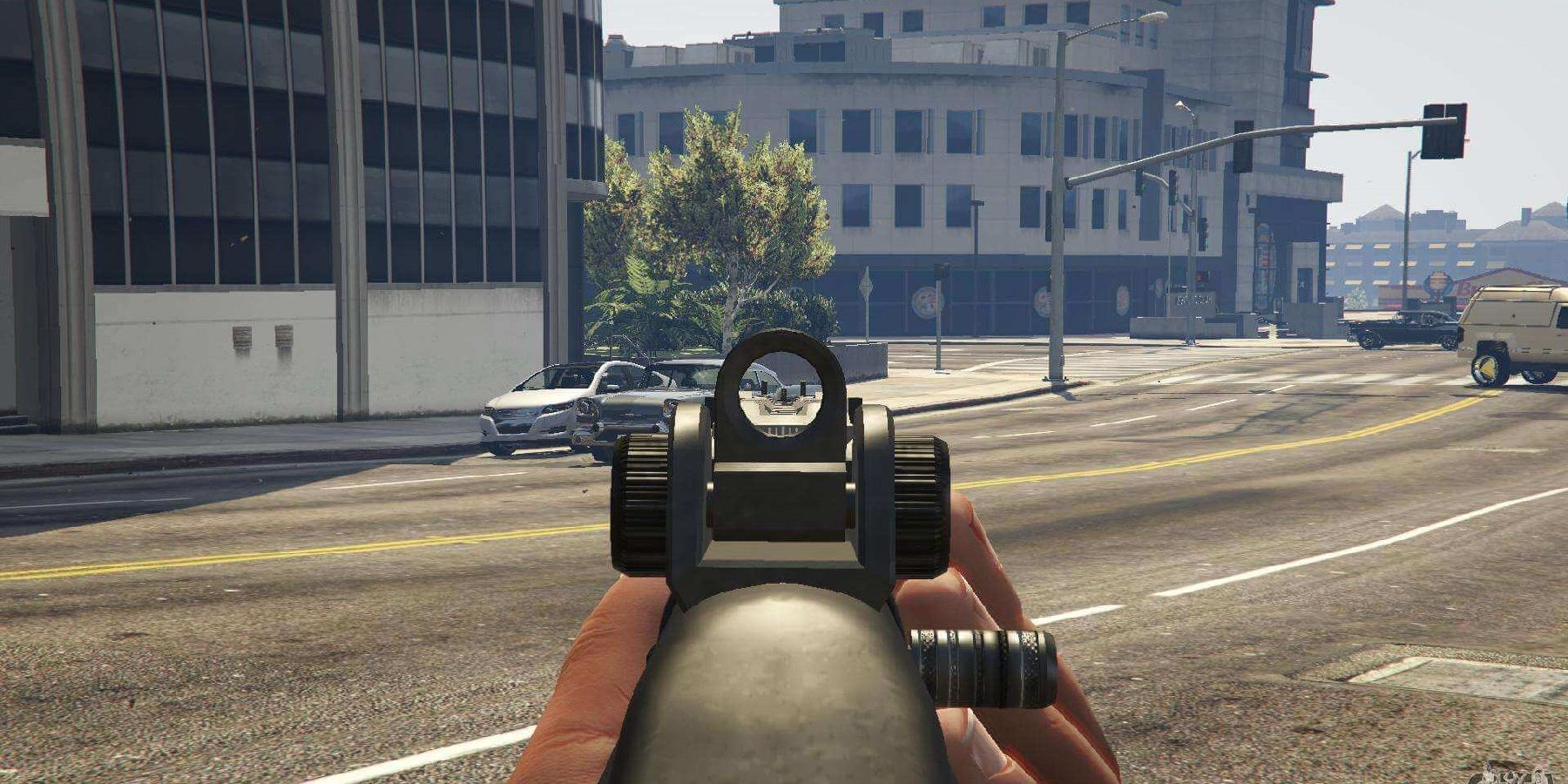


Grand Theft Auto VI PS5 Games PlayStation Indonesia. Gta 5 New Cars Update Gta 5 Online Weekly Update October 6 New Car Obey 10f Audi R8 Rockstar . How To Stealth Kill In Grand Theft Auto 5 Grand Theft Auto 5 Aim Feature . GTA 5 Auto Aim Bugg Quick Fix Now We Know How To Fix This Issue Hqdefault . How To Turn Aim Assist Back ON In GTA 5 Online Controller Settings