For many US gamers, balancing a passion for virtual worlds with real-world responsibilities like jobs and family is a familiar challenge. You carve out time for relaxation, skill-building, or just connecting with friends online, and you want that time to be as enjoyable and efficient as possible. But when it comes to hardware, particularly your gaming monitor, a common question arises: does monitor matter in gaming, or is it just another expensive upgrade without real impact? This comprehensive guide cuts through the hype to provide practical, no-nonsense answers. We will explore how different monitor features directly affect your gameplay, from competitive advantages in fast-paced titles to the immersive quality of single-player adventures. Learn how choosing the right display can optimize your performance, enhance visual fidelity, and ultimately deliver more value for your hard-earned money, helping you stay current with gaming trends without breaking the bank. Discover actionable insights to solve common setup issues, understand essential specifications, and make informed decisions that elevate your gaming experience.
Is a high refresh rate monitor truly noticeable for average gamers?
Absolutely, even for average gamers, the difference a high refresh rate monitor makes is significant and immediately apparent. While competitive players rely on 144Hz or 240Hz for quicker reactions, everyone benefits from the vastly smoother visual experience. Movements on screen, from scrolling web pages to navigating game menus, feel incredibly fluid. In games, this means less motion blur, easier enemy tracking, and a more comfortable viewing experience overall, reducing eye strain during longer sessions. It is one of those upgrades you might not think you need until you try it, and then it is hard to go back.
What specific features should I look for in a gaming monitor to avoid regret?
To avoid regret, prioritize these features: start with a minimum 144Hz refresh rate for smoothness, a 1ms GtG response time to eliminate ghosting, and Adaptive Sync (FreeSync or G-Sync Compatible) for tear-free gameplay. Beyond that, an IPS panel offers excellent colors and viewing angles for immersion, while 1440p resolution provides a great balance of visual detail and performance without overtaxing your GPU. Consider a 27-inch size for a sweet spot between immersion and competitive utility. These features ensure a well-rounded and future-proof gaming experience.
How much should I spend on a gaming monitor to get real value?
For most US gamers balancing budget with performance, a sweet spot for a gaming monitor usually falls between 200 to 400 USD. In this range, you can typically find excellent 1080p 144Hz or even 1440p 144Hz monitors with 1ms response times and Adaptive Sync. Going above this range often yields diminishing returns unless you are chasing top-tier esports performance or premium 4K visuals. Below 200 USD, you might compromise too much on refresh rate or response time, which are critical for an enjoyable gaming experience. Always watch for sales and refurbished options from reputable retailers to maximize value.
Will a new monitor fix my low FPS issues in games?
No, a new monitor will not directly fix low Frames Per Second (FPS) issues. Low FPS is primarily caused by your graphics card (GPU) or CPU struggling to render frames fast enough. A new monitor can display more frames per second if your system *can* produce them, but it cannot magically generate frames that your GPU is not creating. What a new monitor *can* do is make the existing frames appear smoother by reducing stutter and tearing, especially if it has a higher refresh rate and Adaptive Sync. For actual FPS improvement, you will need to upgrade your GPU, CPU, or adjust in-game settings.
Is it worth buying a 4K gaming monitor if I primarily play competitive games?
Generally, it is not worth prioritizing a 4K gaming monitor if your primary focus is competitive gaming. While 4K offers stunning visual detail, the extremely high resolution demands immense GPU power, making it challenging to achieve the high frame rates (144 FPS+) and refresh rates crucial for competitive play. Competitive gamers typically favor 1080p or 1440p monitors with very high refresh rates (144Hz to 240Hz+) and extremely low response times to gain every possible advantage in speed and clarity. 4K is better suited for immersive, visually rich single-player experiences where consistent high frame rates are less critical.
How do I know if my current monitor is bottlenecking my gaming PC?
You can tell if your monitor is bottlenecking your gaming PC by checking your in-game frame rates. If your GPU is consistently producing significantly more FPS than your monitor's refresh rate (e.g., your GPU gets 120 FPS in a game, but your monitor is only 60Hz), then your monitor is limiting your visual experience. You are effectively only seeing 60 frames out of the 120 your GPU is rendering. Another sign is if you experience frequent screen tearing or stuttering without Adaptive Sync, indicating an unsynchronized frame delivery that a modern gaming monitor could resolve.
Can a gaming monitor improve my K D ratio in shooters?
While a gaming monitor alone won't instantly transform you into an esports pro, it can absolutely contribute to improving your K/D ratio in shooters, especially in conjunction with your skill. A monitor with a high refresh rate (144Hz+) and low response time (1ms) provides smoother visuals and reduced input lag, allowing you to see enemies sooner, track them more accurately, and react quicker. Adaptive Sync eliminates tearing and stuttering, ensuring a clear, consistent visual feed. These technical advantages, when combined with practice and skill, can give you a noticeable edge, making it easier to aim precisely and make split-second decisions.
Life as a modern gamer often feels like a balancing act. You are likely juggling work, family, and other commitments, carving out precious hours to unwind, connect with friends, or dive into an immersive story. You want your gaming sessions to be impactful and fun, not frustrating. But when it comes to hardware, especially your monitor, it is easy to get lost in a sea of technical jargon and marketing hype. Does monitor matter in gaming, or is it just another component that costs a lot without truly enhancing your experience? This question hits home for many of us who are mindful of our budgets and want real value for our investments.
You are not alone in wondering if that monitor upgrade will truly make a difference. With 87% of US gamers regularly playing and dedicating an average of 10+ hours a week, optimizing that valuable time is crucial. Whether you are aiming for peak performance in competitive titles like Apex Legends, enjoying the latest social experiences on Discord with friends, or simply seeking deep immersion in a single-player epic, your monitor plays a far more significant role than you might think. This guide is designed for busy adult gamers like you. We will cut through the noise, explain what really matters, and help you make informed decisions that enhance your gameplay, improve your performance, and ensure you get the most enjoyment out of your virtual adventures, all without feeling pressured to chase every fleeting trend.
We will tackle common pain points, from understanding technical specs that seem overwhelming to making smart upgrade choices that fit your budget and lifestyle. Let us explore how the right display can transform your gaming sessions from good to truly exceptional.
Why Does Refresh Rate Matter So Much for Gamers?
The refresh rate of your monitor, measured in Hertz Hz, indicates how many times per second the display can draw a new image. For gamers, this is arguably one of the most critical specifications. A standard office monitor typically runs at 60Hz, meaning it can display 60 frames per second. However, modern gaming monitors often boast 144Hz, 240Hz, or even higher refresh rates. The impact is immediately noticeable: higher refresh rates deliver significantly smoother motion, reducing perceived input lag and making fast-paced action games feel much more fluid and responsive.
Think about it like this: in a competitive shooter, every millisecond counts. A 144Hz monitor refreshes the image twice as fast as a 75Hz monitor, providing you with more up-to-date information about what is happening on screen. This can translate to seeing enemies fractions of a second sooner, tracking fast-moving targets more accurately, and executing precise movements with greater confidence. Many US gamers, especially those engaging in esports or competitive multiplayer, consider 144Hz the absolute minimum for a truly competitive edge. While your GPU also needs to be powerful enough to push those high frame rates, a high refresh rate monitor is essential to actually see and benefit from them.
What is Response Time and How Does It Affect My Gameplay?
Response time refers to how quickly a pixel can change from one color to another, typically measured in milliseconds ms. For gaming, a low response time is crucial to minimize motion blur and ghosting, which are visual artifacts that can make fast-moving objects appear blurry or leave trails behind them. Common response time measurements include GtG Grey-to-Grey, which measures the time it takes for a pixel to transition between different shades of grey, and MPRT Moving Picture Response Time, which focuses on perceived motion blur rather than pixel transition speed.
Ideally, you want a monitor with a 1ms GtG response time for competitive gaming. Anything higher than 5ms GtG can introduce noticeable ghosting, particularly in quick, high-contrast scenes. While a 1ms response time might not be as immediately impactful as a high refresh rate for all gamers, it significantly cleans up the visual fidelity during rapid camera movements or fast-action sequences. This clarity helps reduce eye strain during extended gaming sessions and allows for clearer target acquisition, ensuring that what you see on screen is crisp and precise, a huge benefit whether you are exploring an open world or clashing in a fighting game.
Which Panel Type is Best for Gaming IPS VA or TN?
The panel type largely determines a monitor's visual characteristics, each with its own set of pros and cons for gamers:
- TN Twisted Nematic: Historically, TN panels offered the fastest response times and highest refresh rates at a lower cost. Their main drawbacks are narrower viewing angles and poorer color reproduction. For hardcore competitive gamers on a tight budget who prioritize speed above all else, TN can still be an option, but their market share is shrinking due to advancements in other panel types.
- IPS In-Plane Switching: IPS panels are renowned for their excellent color accuracy and wide viewing angles, making them ideal for immersive single-player games, content creation, and general media consumption. Modern IPS panels have significantly improved their response times and refresh rates, with many now offering 1ms GtG and 144Hz+ refresh rates, making them a fantastic all-around choice for most gamers who want both performance and beautiful visuals.
- VA Vertical Alignment: VA panels offer a compelling middle ground, boasting superior contrast ratios and deeper blacks compared to IPS, providing a more immersive experience, especially in dark scenes. Their viewing angles are better than TN but not quite as wide as IPS, and their response times can sometimes be a bit slower, though many gaming-focused VA panels now offer competitive speeds. VA panels are excellent for gamers who prioritize cinematic visuals and deep contrast without breaking the bank.
For the average gamer balancing life and gaming, an IPS panel often provides the best blend of speed, color fidelity, and viewing angles, offering a great experience across a wide range of game genres. This makes it a popular choice for adult gamers seeking both quality and versatility.
Does Resolution Impact Gaming Performance and Visuals?
Resolution refers to the number of pixels on a display, typically expressed as width x height (e.g., 1920x1080 for Full HD, 2560x1440 for QHD/2K, 3840x2160 for UHD/4K). Higher resolutions mean more pixels, which translates to sharper images and more screen real estate. For gaming, this means finer details, less aliasing (jagged edges), and a generally more crisp and immersive visual experience.
However, there is a significant trade-off: higher resolutions demand substantially more processing power from your graphics card GPU. For instance, running a game at 4K resolution requires rendering four times as many pixels as at 1080p. If your GPU is not powerful enough, you will experience significantly lower frame rates, negating the benefits of a high refresh rate monitor. Many gamers find a sweet spot at 1440p (QHD), which offers a noticeable visual upgrade over 1080p without being as demanding as 4K, allowing for higher frame rates on mid-to-high-end GPUs. For those prioritizing competitive performance on a budget, 1080p with a very high refresh rate remains a solid choice. The decision ultimately depends on your GPU's capabilities and your personal preference for visual fidelity versus raw performance.
How Does Adaptive Sync G-Sync and FreeSync Enhance My Experience?
Screen tearing and stuttering are two of the most common visual annoyances in gaming. Screen tearing occurs when your GPU renders frames faster or slower than your monitor can display them, causing parts of multiple frames to appear on screen simultaneously, creating a "tear" effect. Stuttering happens when frame rates drop or fluctuate inconsistently. Adaptive Sync technologies like NVIDIA's G-Sync and AMD's FreeSync address these issues by synchronizing your monitor's refresh rate directly with your GPU's frame rate.
This synchronization ensures that your monitor only displays a new frame when the GPU has fully rendered it, eliminating tearing and significantly reducing stuttering and input lag. The result is an incredibly smooth, fluid, and artifact-free gaming experience, regardless of frame rate fluctuations. G-Sync typically requires a dedicated hardware module in the monitor and an NVIDIA GPU, while FreeSync is an open standard and compatible with both AMD and newer NVIDIA GPUs via VESA Adaptive Sync. Investing in a monitor with Adaptive Sync is highly recommended for any gamer, as it provides a consistently smoother visual experience that directly enhances immersion and playability, especially when your frame rates are not perfectly stable, a common occurrence in many modern titles.
Is a Larger Monitor or a Curved Display Better for Immersion?
The choice between a larger monitor and a curved display often comes down to personal preference, desk space, and the type of games you play.
- Larger Monitors: A bigger screen, say 27-inch or 32-inch, naturally fills more of your field of view, making the game world feel more expansive and immersive. For story-driven RPGs, open-world adventures, or cinematic experiences, a large flat screen can be fantastic. However, for competitive gaming, particularly if you sit close to the monitor, a very large screen can require more eye movement to track information across the display, potentially putting you at a slight disadvantage.
- Curved Displays: Curved monitors are designed to wrap around your periphery, creating a more enveloping experience that can enhance immersion, especially in ultrawide formats. The curvature aims to keep all parts of the screen at a more consistent distance from your eyes, which can be more comfortable and reduce distortion at the edges. Many gamers find curved displays particularly compelling for racing simulators, flight sims, and certain RPGs. However, for precise graphical work or fast-paced competitive shooters, some find the curvature distracting or less ideal for perfect aiming, though this is largely subjective.
For busy adult gamers who primarily seek relaxation and immersive storytelling, a larger, possibly curved, display can greatly enhance the experience. If competitive edge is your top priority, a well-sized 24-27 inch flat screen might be more practical.
Do I Need a 4K Monitor for Casual Gaming or Story-Driven Games?
While 4K resolution offers unparalleled visual clarity and detail, whether you "need" it depends heavily on your gaming habits and priorities. For casual gaming, especially if you primarily play social games, cozy titles, or older favorites, a 4K monitor might be overkill and an unnecessary expense. Most of these games look perfectly fine, even great, at 1080p or 1440p, and require far less powerful hardware to run smoothly at high frame rates.
For story-driven games, where immersion, visual fidelity, and atmosphere are paramount, 4K can certainly elevate the experience. Seeing every texture, every environmental detail in stunning clarity truly brings virtual worlds to life. However, this comes at a significant cost: you will need a top-tier GPU to achieve playable frame rates at 4K, often sacrificing high refresh rates unless you have a very high-end system. For many gamers, 1440p offers an excellent balance: a noticeable visual upgrade from 1080p, less demanding on hardware than 4K, and still capable of high refresh rates, providing a fantastic immersive experience without the prohibitive cost of a full 4K setup. Smart budgeting is key for gamers balancing life and passion, and 1440p often provides the best value.
What About Input Lag and How Can I Minimize It?
Input lag refers to the delay between when you perform an action (like clicking your mouse or pressing a button) and when that action is actually reflected on your screen. It is a critical factor for competitive gamers, as even a few milliseconds of delay can mean the difference between a hit and a miss. While often conflated with response time, input lag is a broader metric that encompasses the entire system, including your mouse, keyboard, GPU processing, and the monitor itself. Your monitor's contribution to input lag is often called "display lag."
Minimizing input lag involves a few key steps:
- Monitor Choice: Look for monitors specifically advertised with low input lag. Many modern gaming monitors are designed with this in mind.
- Game Mode: Most gaming monitors have a "Game Mode" setting that bypasses some of the monitor's image processing features to reduce lag.
- High Refresh Rate: As discussed, higher refresh rates inherently reduce display lag because the image is updated more frequently.
- Disable V-Sync (if using Adaptive Sync): While V-Sync can eliminate tearing, it often introduces input lag. Adaptive Sync (G-Sync/FreeSync) is a superior solution that removes tearing without significant lag.
- Powerful GPU: A GPU that can consistently render frames above your monitor's refresh rate ensures there is always a new frame ready to be displayed, minimizing waiting times.
For gamers who value quick reactions and precise control, actively seeking ways to minimize input lag across their entire setup is a smart move that significantly impacts performance.
How to Choose a Gaming Monitor on a Budget Without Sacrificing Key Features?
Upgrading gaming hardware on a budget while balancing life's demands is a common challenge for US gamers. When choosing a monitor, it is about prioritizing what truly matters for your specific gaming habits. Here is a practical approach:
- Determine Your Primary Game Genres: If you mainly play fast-paced competitive shooters, prioritize a high refresh rate (144Hz+) and low response time (1ms). If you prefer immersive RPGs and strategy games, prioritize a good panel type (IPS or VA for colors/contrast) and a resolution like 1440p for detail, even if the refresh rate is slightly lower (e.g., 75Hz or 120Hz).
- Assess Your Current GPU: Your GPU dictates the frame rates you can achieve. Do not buy a 4K 144Hz monitor if your GPU can only push 60fps at 1080p. Match your monitor to your GPU's capabilities to get the most value. For instance, a 1080p 144Hz monitor is an excellent choice for a mid-range GPU.
- Adaptive Sync is a Must-Have: G-Sync Compatible or FreeSync monitors are widely available and often do not carry a significant price premium anymore. This technology dramatically improves smoothness and is a non-negotiable feature for value-conscious gamers.
- Consider Refurbished or Sales: Keep an eye out for sales events like Prime Day or Black Friday. Refurbished monitors from reputable sellers can also offer significant savings.
- Panel Type Balance: While IPS offers the best overall experience, a good VA panel can provide fantastic contrast for immersive gaming at a lower price point. TN is only for the absolute most budget-constrained competitive players now.
By focusing on these core elements and understanding your personal gaming style, you can find a monitor that significantly enhances your experience without overspending on features you do not truly need.
When Should I Upgrade My Current Monitor for Gaming?
Many adult gamers, happy with their current setup, might wonder if an upgrade is truly necessary. Here are some clear signs it is time to consider a new gaming monitor:
- You Just Upgraded Your GPU: If you recently invested in a powerful new graphics card but are still using an old 60Hz 1080p monitor, you are bottlenecking your system. Your new GPU is capable of pushing far more frames, and a higher refresh rate monitor will allow you to actually see and benefit from that performance.
- Experiencing Frequent Tearing or Stuttering: If V-Sync introduces too much input lag and turning it off results in constant screen tearing, an Adaptive Sync monitor will be a game-changer for smoothness.
- Poor Visuals and Immersion: If your current monitor has washed-out colors, poor contrast, or bad viewing angles, especially if you are playing visually rich story-driven games, an upgrade to a better panel type (IPS or VA) will significantly boost your enjoyment.
- Eyestrain and Discomfort: If you find yourself experiencing eye fatigue after short gaming sessions, an older monitor with poor flicker control or lower resolution might be contributing. Newer monitors often feature flicker-free technology and blue light filters.
- Competitive Disadvantage: In fast-paced competitive titles, if you feel consistently a step behind or struggle with target tracking, a higher refresh rate and lower response time monitor could genuinely improve your performance.
An upgrade is not just about keeping up with trends; it is about addressing real frustrations and unlocking the full potential of your gaming setup and, more importantly, your valuable gaming time.
Conclusion
So, does monitor matter in gaming? The resounding answer is yes, absolutely. From the buttery-smooth motion of a high refresh rate display that gives you a competitive edge, to the vibrant colors and deep contrast of a quality panel that pulls you deeper into incredible game worlds, your monitor is a critical component of your gaming experience. It is not just about raw power; it is about how that power is presented to your eyes, impacting everything from your reaction times to your overall enjoyment and immersion.
For US gamers balancing life with their passion, making smart choices means understanding the core features that genuinely enhance gameplay. Prioritize refresh rate and response time for competitive titles, and consider panel type and resolution for visual fidelity in story-rich adventures. Adaptive Sync is a non-negotiable for a consistently smooth experience. By investing wisely in a monitor that aligns with your gaming style and budget, you are not just buying a piece of hardware; you are investing in more enjoyable, less frustrating, and ultimately more rewarding gaming sessions.
What is your biggest gaming challenge with your current setup? Comment below and let us help each other level up our play!
FAQ Section
Is a 60Hz monitor good enough for gaming?
While a 60Hz monitor is fine for casual or slower-paced games, it is generally considered insufficient for modern competitive gaming. Most competitive players aim for 144Hz or higher to experience smoother gameplay and reduced input lag, which significantly enhances reaction times and overall performance. For cinematic single-player titles, 60Hz can still provide a good experience, especially if paired with a beautiful high-resolution display.
What is the best monitor size for gaming?
The best monitor size for gaming is highly subjective and depends on your viewing distance and personal preference. For competitive FPS games, 24-27 inches is often preferred because it allows you to see the entire screen at a glance without excessive eye movement. For immersive single-player games, a 27-32 inch monitor or even an ultrawide can enhance the experience by filling more of your peripheral vision. Consider your desk space and typical gaming style.
Does a curved monitor offer a competitive advantage?
A curved monitor typically does not offer a significant competitive advantage in most esports titles. While it can enhance immersion by wrapping the image around your field of view, especially in ultrawide formats, some competitive players find the curvature distracting for precise aiming or tracking. It is primarily a comfort and immersion feature rather than a performance booster.
Should I get a G-Sync or FreeSync monitor?
You should choose based on your graphics card. If you have an NVIDIA GPU, a G-Sync or G-Sync Compatible monitor will provide the best adaptive sync experience. If you have an AMD GPU, a FreeSync monitor is the way to go. Many modern NVIDIA GPUs also support FreeSync monitors over DisplayPort (often called "G-Sync Compatible"), so check your specific GPU and monitor compatibility. Both technologies aim to eliminate screen tearing and stuttering for smoother gameplay.
Can my old GPU handle a new high refresh rate monitor?
Your old GPU can typically connect to a high refresh rate monitor, but it might not be able to push enough frames per second FPS to fully utilize the monitor's capabilities in demanding games. For example, a 144Hz monitor needs your GPU to render 144 FPS to show its full potential. If your GPU can only manage 60-80 FPS, you will still benefit from improved smoothness but will not reach the maximum refresh rate. Ensure your GPU has the correct display outputs (DisplayPort or HDMI 2.0+).
High refresh rate for smoother visuals and quicker reactions. Low response time eliminates ghosting and motion blur. Adaptive Sync G-Sync FreeSync prevents screen tearing. Optimal resolution and panel type enhance immersion and clarity. A good monitor significantly improves gaming performance and enjoyment.
35

LG UltraGear Evo Gaming Monitor Lineup Announced Ahead Of CES 2026 27 . Samsung Launches World S First 6K 1040Hz Gaming Monitors 2026 Sammy Odyssey 2026 Gaming Monitors . Xiaomi G34WQi 2026 Curved Gaming Monitor Gets Global Launch G34WQi 2026 . BEST Gaming Monitor In 2026 Here S What You SHOULD Buy At Every . Xiaomi Launches G24i 2026 And G27i 2026 Gaming Monitors In The Xiaomi Launches G24i 2026 And G27i 2026 Gaming Monitors In The Philippines
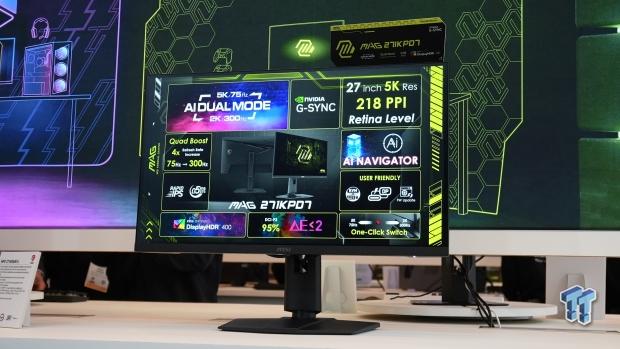



MSI Unveils World S First Mini LED Gaming Monitor At CES 2026 109565 9962 Msi Unveils Worlds First 5k Gaming Monitor . Xiaomi G24i 2026 G27i 2026 Gaming Monitors Launched Globally Xiaomi Xiaomi Gaming Monitor G24i 2026 G27i 2026 RQXFS.webp. Best Gaming Monitors 2026 Ultimate Buying Guide For Every Budget Setup The Ultimate Gaming. Monitor Gaming Redmi G34WQ 2026 Diluncurkan Dengan Layar Lengkung WQHD 29 Monitor Gaming Redmi G34WQ 2026 . Xiaomi Gaming Monitor G24i 2026 Dan G27i 2026 Diluncurkan Hadirkan Cuplikan Layar 2025 08 21 111907

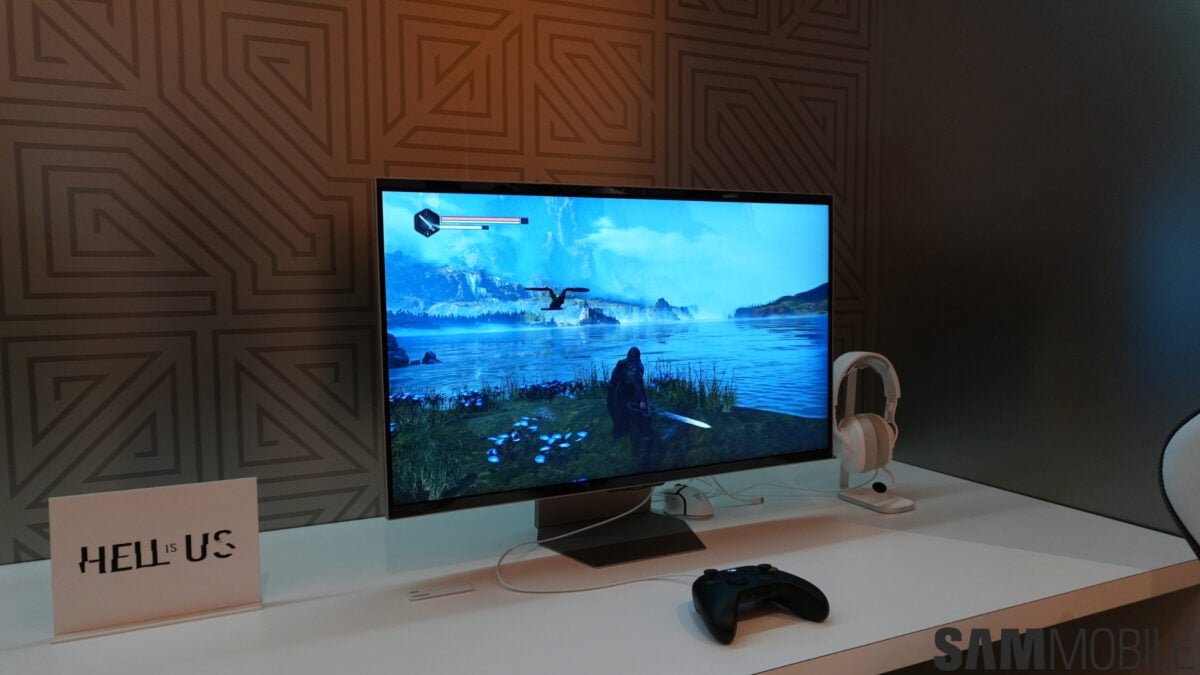

Chinese ESports Firm Worked With AMD On 1 000 Hz Gaming Monitor Primed . Acer Debuted 3 New Gaming Monitors At CES 2026 Should You Upgrade. Samsung Showcases Odyssey 3D 6K Gaming Monitor At CES 2026 SamMobile Samsung Odyssey 3D G90XH6K Gaming Monitor CES 2026 1200x675 . Xiaomi Reveals Global Launches Planned For New G24i 2026 And G27i 2026 Xiaomi 24 And 27 Inch 2026 Launches Kv . Xiaomi G24i 2026 G27i 2026 Gaming Monitors Launched Globally Xiaomi Xiaomi Gaming Monitor G24i 2026 G27i 2026 R65T2 Scaled.webp
:strip_icc()/kly-media-production/medias/5460557/original/098102800_1767257548-2026_LG_UltraGear_CES_39GX950B.jpg)



LG Siap Hadirkan Monitor Gaming 5K AI Upscaling Di CES 2026 098102800 1767257548 2026 LG UltraGear CES 39GX950B . 6 Best Call Of Duty Gaming Monitors Of 2026 Top Gaming Monitors 2025 . Best Gaming Monitor 2026 Picks For 1080p 1440p And 4K Switchblade Best Gaming Monitor 2026.webp. Best Gaming Monitors For 2026 Reviews And Bharat Erberbr . Samsung 2026 Odyssey Gaming Monitor Lineup Best Of High End Samsung 2026 Odyssey Gaming Monitor Lineup 4


60Hz Vs 144Hz Gaming Monitor Does Refresh Rate Matter Article2 01 Hero Gaming Setup . Gaming Monitor Guide 2026 Everything You Need To Know London Daily News Gaming Monitor Guide 2026 Everything You Need To Know11. Best Gaming Monitors 2026 Best Pulsar Gaming Monitors . 12 Best Gaming Monitors 2026 Models Tested Reviewed Featured Image Fqidou7g 300x210 . The Best OLED Gaming Monitors To Buy In 2026 TFTCentral Best Oled Gaming Monitors Thumbnail 2026 768x432



LG UltraGear Evo Gaming Monitor Lineup Announced Ahead Of CES 2026 27 . The Best Gaming Monitors Of 2026 Our Top 10 Picks Hero Image 16 . CES 2026 World S First Gaming Monitors LG Display Newsroom Hq720 6 1 . 9 Best Gaming Monitors Of 2026 Reviewed 20221022 Renzi . ASUS PG32UCDM Review 2026 4K 240Hz OLED Gaming Monitor Best HDR Monitors 1024x576


Monitor Gaming Samsung 2026 Arriva La Gamma Odyssey Con Due Modelli 6K Samsung Odyssey G8 6K . Mini LED Gaming Monitor G Pro 27Qi 2026 Xiaomi Prezentuje Nowy Monitor Xiaomi Mini Led Gaming G Pro 27qi 2026 Monitor End . Expert Recommended OLED Gaming Monitor Picks For 2026 Oled Gaming Monitor . Best Gaming Monitor 2026 Top Picks For 1080p 1440p And 4K Best Gaming Monitor 2026 . Best Gaming Monitor 2026 Top Rated Monitors For Gamers Best Gaming Monitor Guide That Shows The Top Best Gaming Monitor Model 1 600x338