Ever wondered how to refresh your online identity on Roblox? This comprehensive guide dives into how to change display name Roblox for free, ensuring your digital persona always feels current and representative. For busy gamers balancing work and family, an updated Roblox display name offers a quick, impactful way to express individuality or simply try something new without affecting your account security or progress. We cover step-by-step instructions for both PC and mobile devices, address common questions like the 7-day cooldown period, and clarify the crucial difference between your display name and your permanent username. Stay ahead in the gaming world and customize your experience with ease, reflecting your evolving gaming style or current trends. Discover tips for choosing the perfect new name and ensure your virtual presence is exactly how you want it, making your social interactions on Roblox even more engaging.
What is a Roblox Display Name?
Your Roblox Display Name is your public-facing alias that other players see in games and on your profile. It's separate from your unique username and offers a way to personalize your identity without changing your login details.
Why change your Roblox Display Name?
Gamers change their Display Name to refresh their online identity, reflect new interests, enhance privacy, celebrate achievements, or simply align with current trends. It allows for personal expression without affecting account security.
Is it free to change your Roblox name?
Yes, changing your Roblox Display Name is completely free. This makes it an accessible feature for all players to update their virtual identity without needing to spend Robux or real money.
How often can I update my Roblox Display Name?
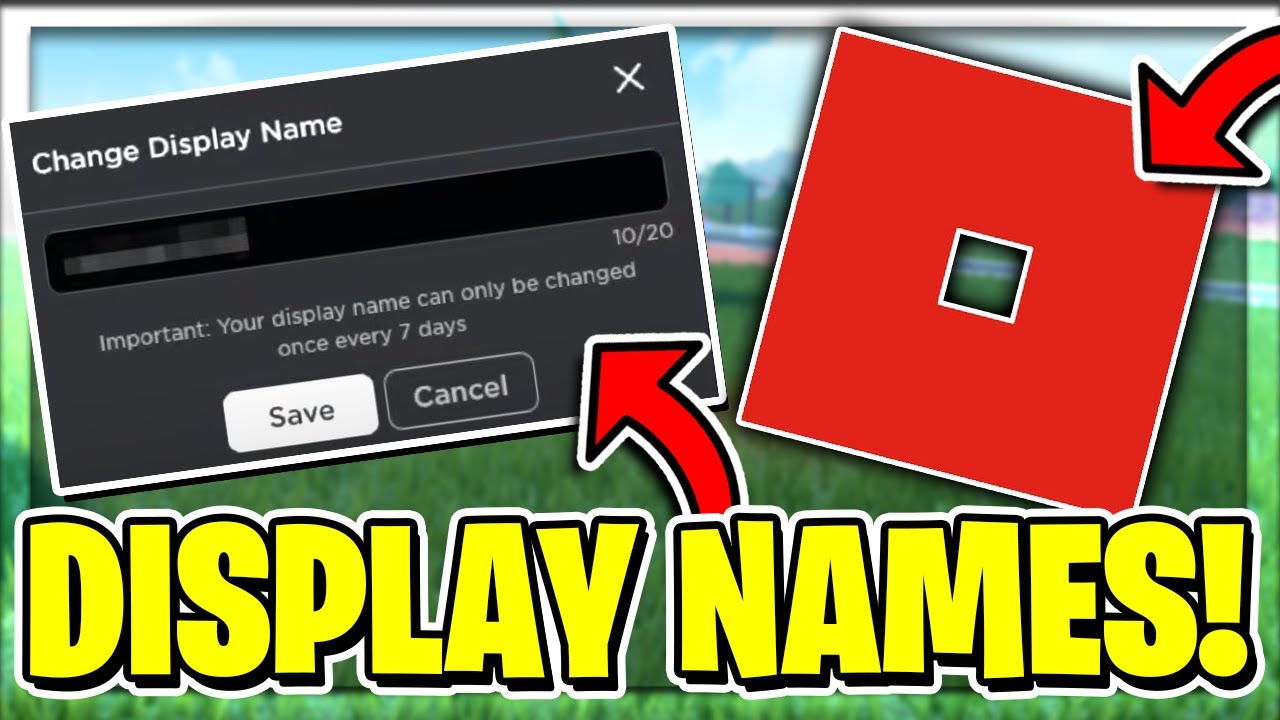
You can update your Roblox Display Name once every seven days. A 7-day cooldown period is enforced after each change to maintain stability and prevent frequent, confusing alterations to player identities.
What's the process for changing it?
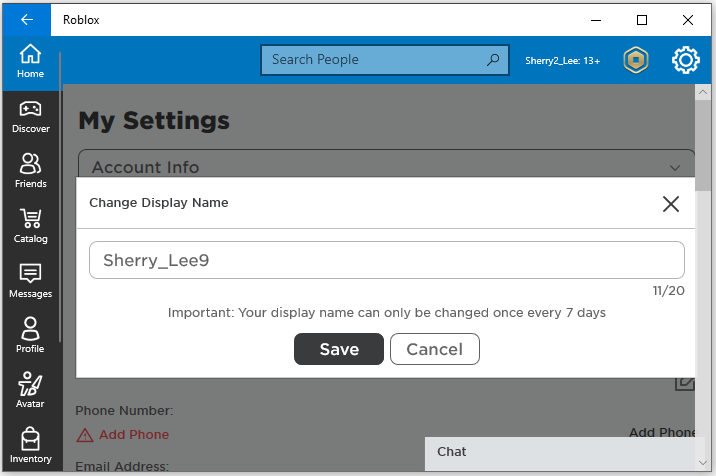
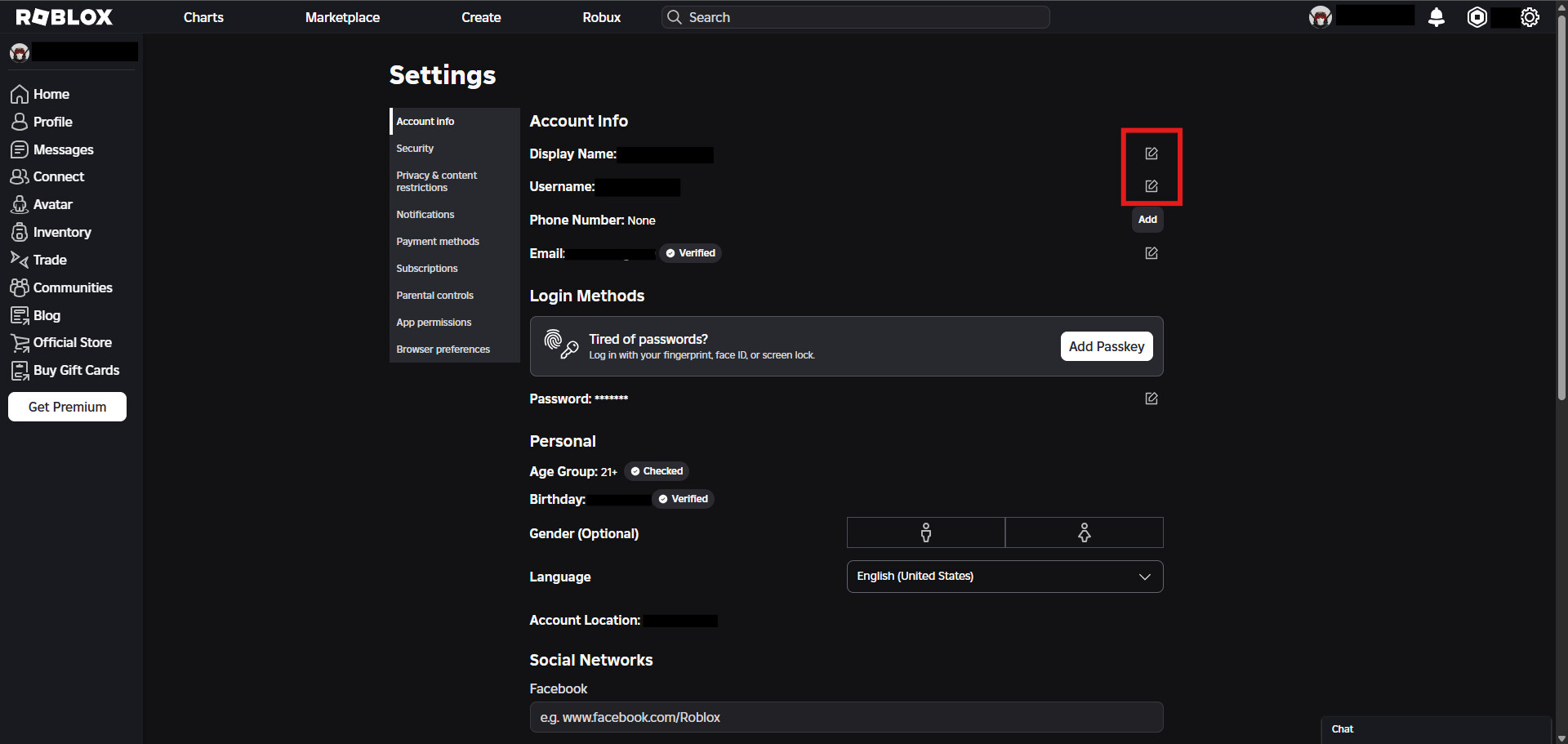
To change your Display Name, go to your Roblox account settings, find the 'Account Info' section, and click the edit icon next to your current Display Name. Enter your new preferred name and save the changes. This can be done on both PC and mobile devices.
Can I use special characters or emojis in my Roblox Display Name?
No, Roblox Display Names must consist only of alphanumeric characters and specific punctuation like spaces or underscores. Emojis and most special symbols are not supported to ensure cross-platform compatibility and readability.
Will changing my Display Name affect my username for logging in?
Absolutely not. Your Roblox Display Name is purely cosmetic and has no impact on your unique username, which you use to log in. Your username remains the same, ensuring account security and consistent access.
What happens if I try to change my Display Name before the 7-day cooldown?
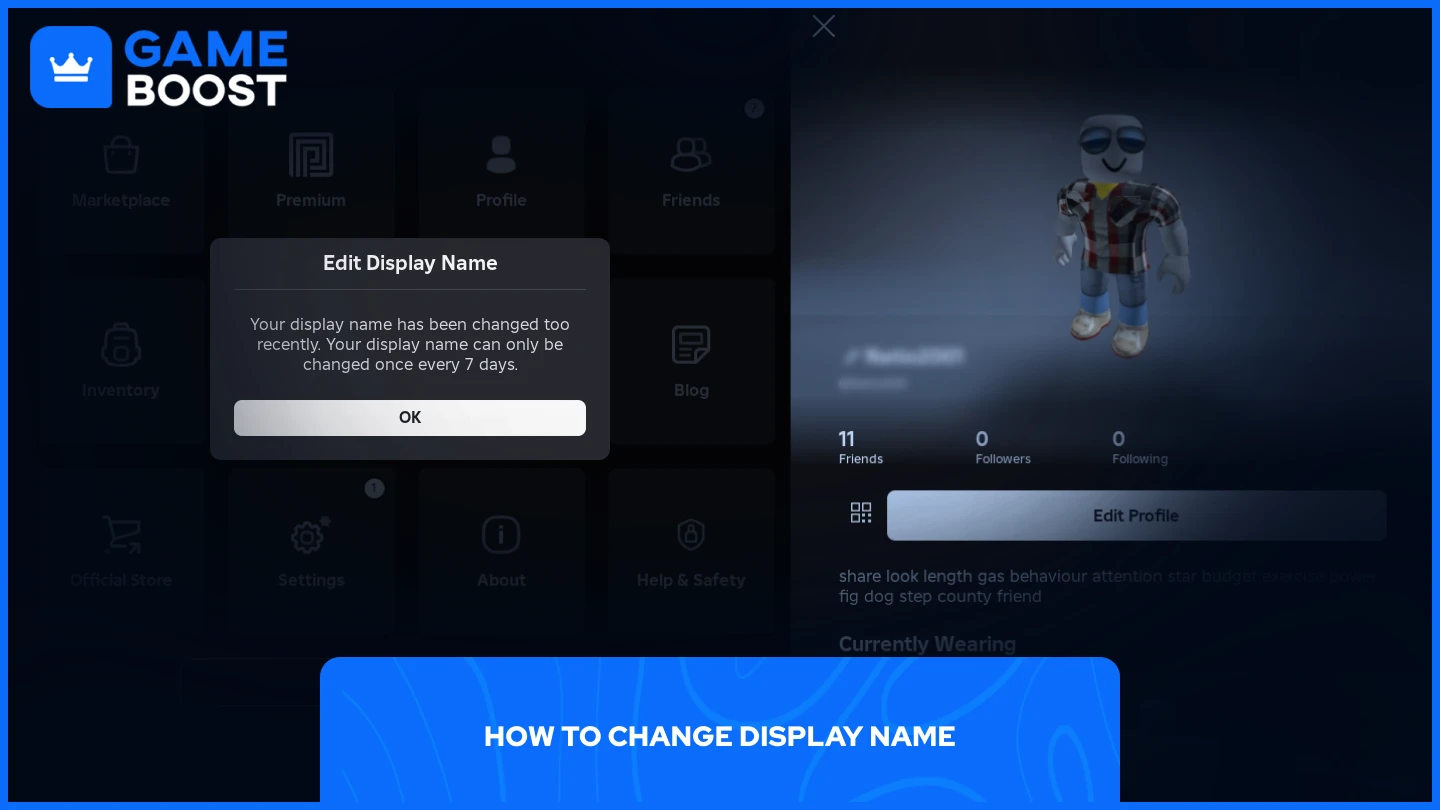
If you attempt to change your Display Name within the 7-day cooldown period, the Roblox system will prevent the change and inform you how much time remains until you can update it again. You simply need to wait for the cooldown to expire.
Can other players see my original Roblox Username if I change my Display Name?
Yes, other players can still see your original Roblox Username. It appears as @[Username] below your Display Name. This helps differentiate players with similar Display Names and maintains account uniqueness.
Are there any safety concerns with changing my Display Name frequently?
Changing your Display Name itself poses no direct safety concerns. However, always be mindful of privacy and security when interacting online. Avoid using personal information in your Display Name and ensure your account security measures are strong.
Does a new Display Name show up immediately across all Roblox games and experiences?
Generally, yes. Once you successfully change your Display Name in your account settings, it should update almost instantly across all Roblox games, experiences, and your profile. Occasionally, a quick game restart might be needed for full refresh.
What if I forget what my previous Display Name was? Can I find a history?
Roblox does not currently provide a public history of your past Display Names. While you can change it back to a previous one if you remember it and it's available, there isn't an accessible log of your historical Display Name choices within the platform.
In the vibrant, ever-evolving world of Roblox, where millions of US gamers, often balancing busy jobs and family life, seek relaxation, fun, and social connection, your identity truly matters. With 87% of US gamers regularly engaging for 10+ hours a week, and mobile platforms driving much of this interaction, ensuring your virtual persona feels current and reflects your style is key. Imagine logging into your favorite experience, eager to unwind after a long day, only to feel your display name doesn't quite fit anymore. It's a small detail, but for many adult gamers who value an optimized, hassle-free experience, a mismatched name can subtly detract from the immersive fun. This guide is crafted for you, the dedicated gamer who wants practical solutions without the hype, helping you effortlessly master how to change your display name on Roblox.
Updating your Roblox display name is more than just a cosmetic tweak; it's about reclaiming your online identity. Whether you've evolved your gaming persona, want to reflect a new in-game achievement, or simply wish for more privacy online, knowing how to seamlessly make this change is a valuable skill. We'll cut through the noise, providing clear, concise steps and answers to all your burning questions, from the cooldown period to the difference between your display name and username. Let's get your Roblox identity perfectly aligned with the awesome gamer you are today.
What Exactly is a Roblox Display Name?
A Roblox Display Name is the name other players see above your avatar in games and on your profile. Think of it as your public alias or nickname within the Roblox universe. It's designed for personalization and can be changed regularly, offering a fresh way to express yourself without altering your core account details. Unlike your username, which is unique and permanent for logging in, your display name allows for flexibility and creative expression, much like choosing a new avatar outfit to reflect your mood.
Why Would I Want to Change My Roblox Display Name?
There are numerous reasons why gamers, especially those who appreciate evolving their online presence, opt to change their Roblox Display Name. Perhaps you've outgrown an old name from your younger days, or you want to align your in-game identity with your current favorite content creators. Many adult gamers, keen on privacy, might change their display name to something less personal. It's also a fantastic way to celebrate a major in-game achievement, join a clan, or simply refresh your online look to stay current with popular trends this month. It allows you to tailor your public identity without the hassle of creating a new account.
How Do I Change My Roblox Display Name on PC or Mac?
Changing your Roblox display name on a computer is a straightforward process, designed for quick updates so you can get back to gaming. Here are the steps:
- Log into your Roblox account via a web browser (roblox.com).
- Once logged in, look for the gear icon in the top right corner of the screen. This is your Settings button.
- Click on the 'Settings' gear icon, then select 'Settings' from the dropdown menu.
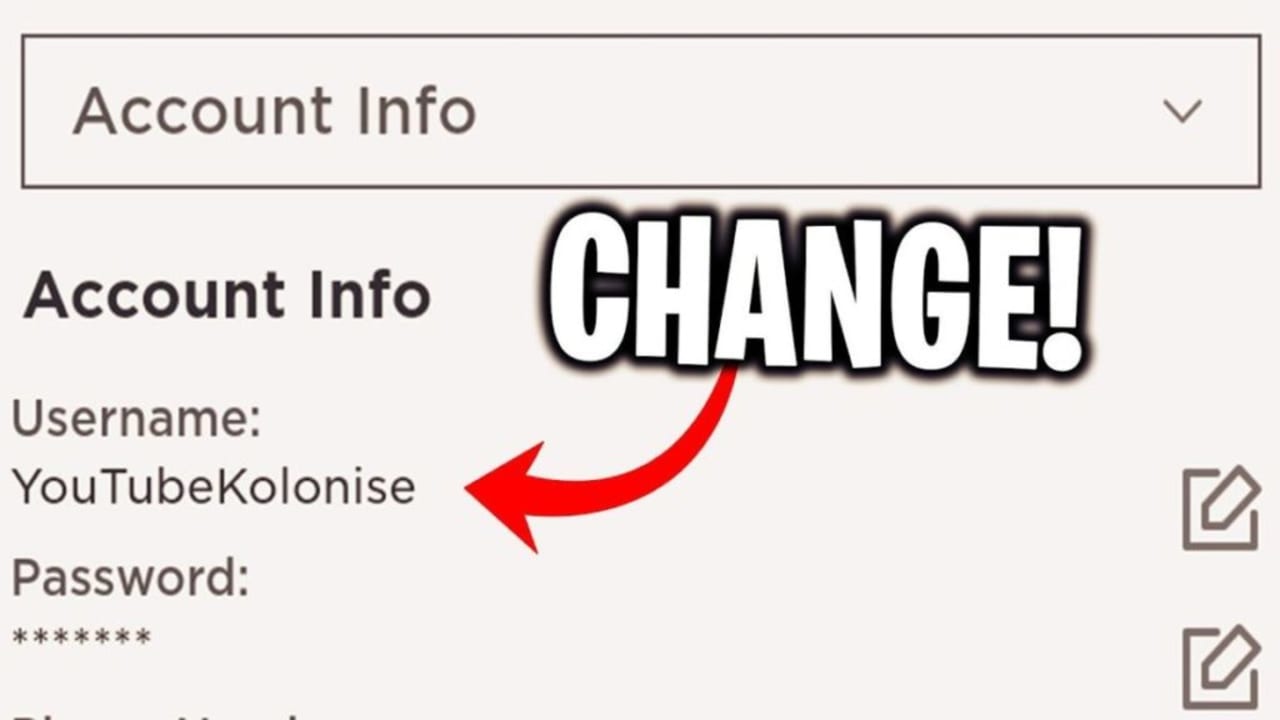
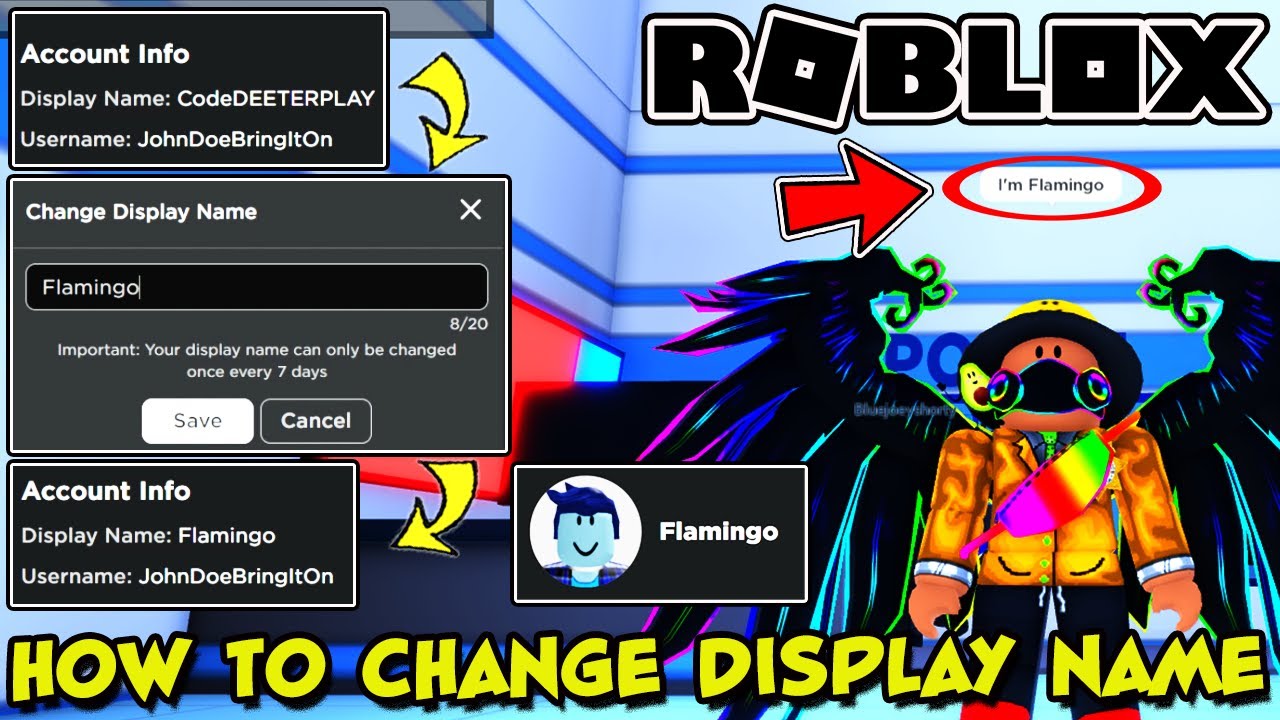
- On the 'My Settings' page, you'll see your 'Account Info'. Your current Display Name will be listed here.
- Click the 'Edit' button (it looks like a pencil icon) next to your Display Name.
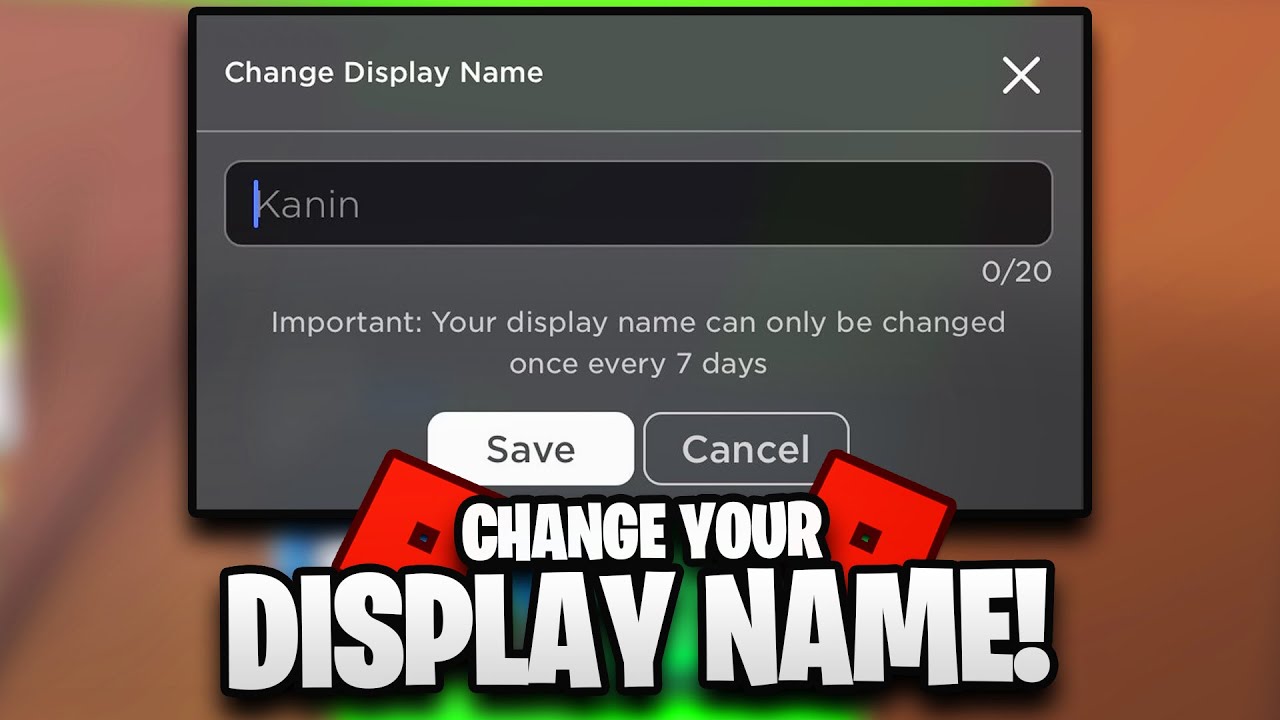
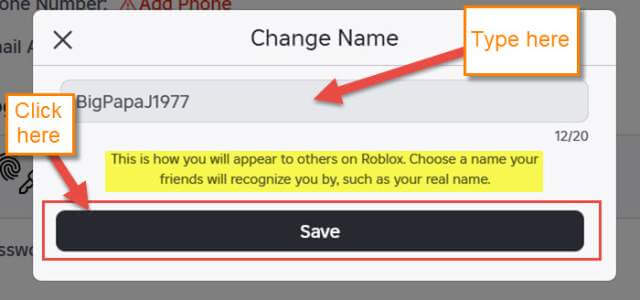
- A pop-up will appear where you can type in your new desired Display Name.
- After entering your new name, click the 'Save' button.
- Confirm the change. Remember, you can only change it once every seven days, so choose wisely!
This quick process ensures that busy gamers can efficiently manage their online identity, optimizing their time between work, family, and gaming sessions.
How Do I Change My Roblox Display Name on Mobile (iOS/Android)?
Mobile gaming is huge, and Roblox is no exception, with mobile dominance being a significant trend among US gamers. Changing your display name on your phone or tablet is just as easy:
- Open the Roblox app on your iOS or Android device.
- Log into your account if you haven't already.
- Tap the three dots (...) icon in the bottom right corner to open the 'More' menu.
- Scroll down and tap 'Settings'.
- Select 'Account Info' from the Settings menu.
- Find your 'Display Name' and tap the 'Edit' button (pencil icon) next to it.
- Enter your new desired Display Name in the provided field.
- Tap 'Save' to confirm your change.
The mobile interface is designed for quick navigation, making it simple for gamers to update their persona on the go, whether during a quick break or while unwinding before bed.
Can I Change My Roblox Display Name for Free?
Yes, absolutely! One of the best aspects of the Roblox display name feature is that it's entirely free to change. Unlike some platforms where name changes might cost virtual currency or real money, Roblox allows you to update your public identity without any financial commitment. This is a huge win for gamers who prioritize value for money and want to stay current without extra expenses, reflecting a broader trend in free-to-play gaming where customization is often a premium feature. It ensures that personal expression remains accessible to everyone.
How Often Can I Change My Roblox Display Name?
Roblox implements a cooldown period for display name changes to ensure stability and prevent abuse. You can change your Roblox Display Name once every seven days. If you've just updated your name, you'll need to wait a full week before the option becomes available again. This system strikes a good balance, offering frequent enough changes to keep your identity fresh while preventing rapid, confusing alterations that could disrupt social interactions or game experiences. Plan your changes accordingly to make the most of this feature.
What's the Difference Between a Display Name and a Username?
This is a crucial distinction for Roblox players. While both identify you, they serve different purposes:
- Display Name: This is your public-facing name, visible to other players in games and on your profile. It can be changed for free every seven days and does not have to be unique (meaning multiple players can have the same display name). It's primarily for personalization and social identity.
- Username: This is your unique, permanent identifier for logging into your Roblox account. It cannot be changed for free, and typically requires a one-time Robux fee to alter. Your username is unique across all of Roblox, meaning no two accounts can share the same username. It's your primary account identifier and ensures security. Other players can always see your username displayed as @[Username] below your Display Name.
Understanding this helps manage expectations and maintain account security, especially for gamers who are careful about their online footprint and digital identity.
Are There Any Rules or Restrictions for Roblox Display Names?
Yes, Roblox has guidelines to ensure a safe and friendly environment for all players. When choosing a new Display Name, keep these rules in mind:
- Community Standards: Names must adhere to Roblox's Community Standards, meaning no offensive, inappropriate, or harassing content.
- No Personal Information: Avoid using real names, addresses, phone numbers, or other sensitive personal data for safety and privacy.
- Alphanumeric Characters: Display names typically allow for alphanumeric characters (A-Z, 0-9) and some basic punctuation like spaces and underscores. Special characters or emojis are generally not supported.
- Length: There are character limits, usually between 3 and 20 characters, though this can vary slightly.
- Bypassing Filters: Attempting to bypass Roblox's content filters with creative spellings of inappropriate words can lead to moderation actions.
Following these rules ensures your name change goes smoothly and keeps your account in good standing, allowing you to focus on the fun aspects of gaming.
What If My Preferred Display Name Is Already Taken?
Since Display Names don't need to be unique, you generally won't encounter an
Free Roblox display name change, 7-day cooldown period, Different from username, PC and Mobile instructions, Privacy and identity management, Tips for choosing a new name.
35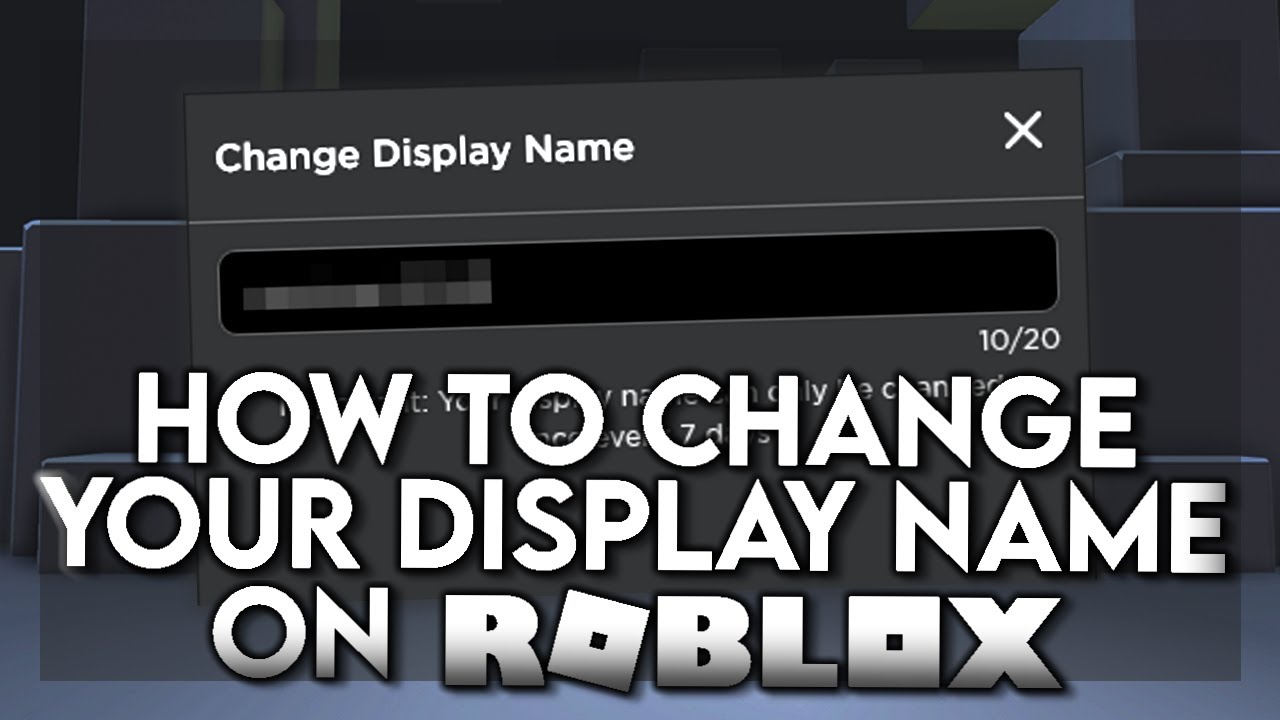


How To Change Your DISPLAY NAME On Roblox YouTube . How To Change Your Display Name Username On Roblox Full Guide YouTube . Roblox Change Username How To Change Display Name On Roblox 3 . How To Change Display Name On Roblox In 3 Easy Steps Softonic How To Change Display Name On Roblox In 3 Easy Steps . 2026 UPDATED How To Change Display Name Without Waiting 7 Days Roblox


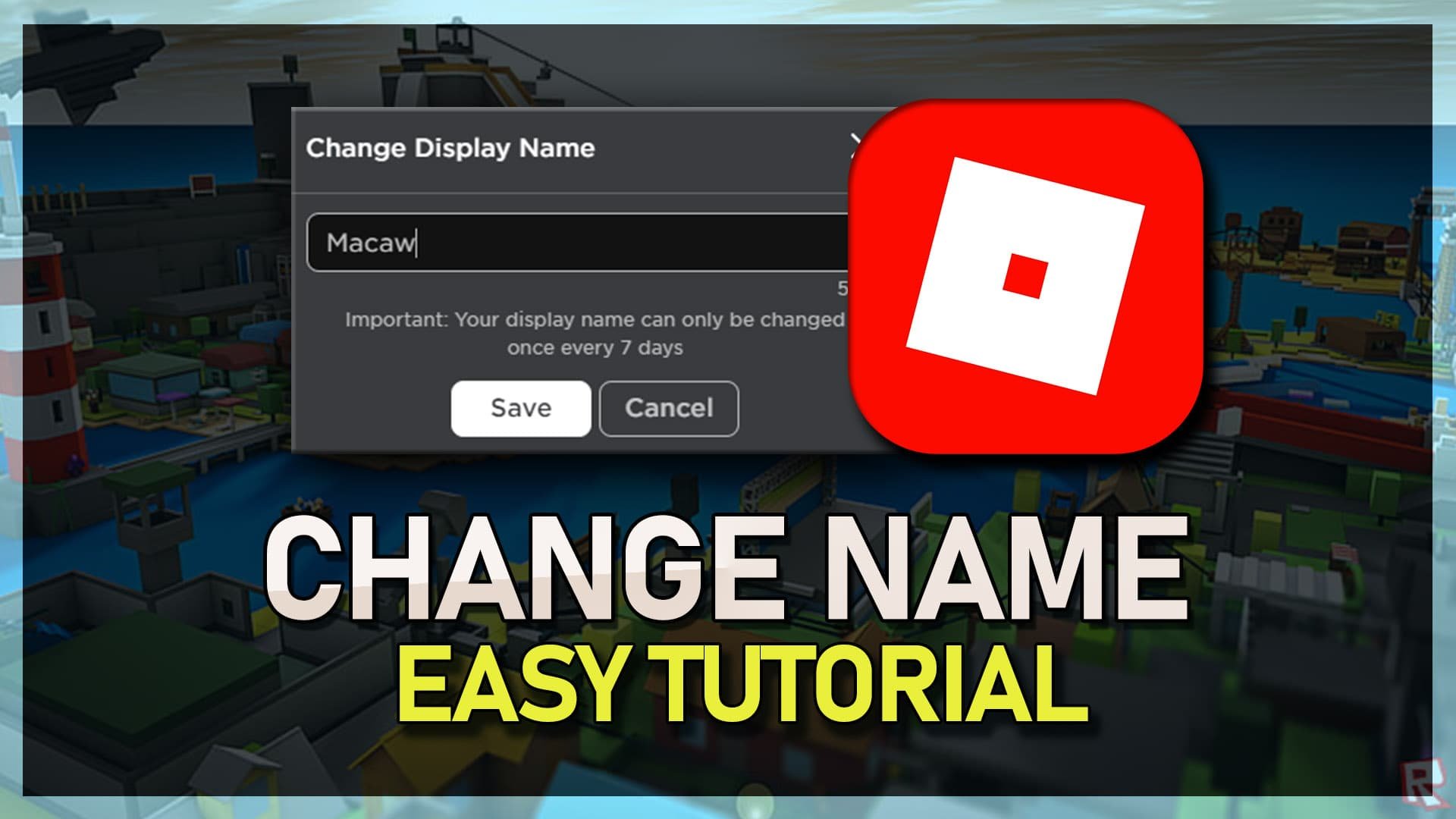

How To Change Display Name Without Waiting 7 Days Roblox 2026 YouTube . How To Change Your Display Name On Roblox Early YouTube . 425 Roblox Display Name Ideas 2026 Name Guider Roblox Display Name Idea 817x1024 . How To Change Display Name In Roblox Tech How How To Change Display Name In Roblox . How To Change Display Name On Roblox Quickly And Easily How To Change Display Name On Roblox



Roblox Name Change Is Free Possible . Roblox Username Ideas 2026 Cool Cute Unique Names How To Change Your Roblox Display Name In Account Settings . How To Change Your Name In Fortnite 2026 Guide Beebom Fortnite Name Change Cover . Seeking Unique Japanese Usernames For Roblox Find Yours . How To Change Your Name On Roblox Step By Step Guide Blog Banners 15.webp



Roblox Username Ideas 2026 Cool Cute Unique Names Roblox Username Ideas 2026 Name Examples Display Names Creation Tips 1024x576 . How To Change Display Name In Roblox HardReset Info Apps Roblox . How To Change Display Name In Roblox Tech How How To Fix Unexpected Error Or Invalid Code When Redeeming Roblox Gift Card . How To Change Your Display Name On Roblox FOR FREE 2021 YouTube . How To Change User And Group Name In Linux Dibujos Cute Para Imprimir



How To Change Your Name On Roblox Step By Step Guide 63bede04 8a06 4081 8718. How To Change Display Name In Roblox Tech How How To Setup Parental Controls For Roblox On Windows Mac . How To Change Your Display Name On Roblox TechStory 4 . HOW TO CHANGE YOUR DISPLAY NAME ON ROBLOX FOR FREE YouTube . How To Change Display Name In Roblox Remove Display Name YouTube

:max_bytes(150000):strip_icc()/EditApp-af1794bba8814f50884f83d335c5245e.jpg)


How To Change Roblox Display Name Latest Update 2026 Step By Step . How To Change Your Display Name In Roblox EditApp . Roblox Username Change How To Update Your ID Easily How To Change Roblox Username . How To Change Display Name On Roblox Daves Computer Tips Roblox Name Change Window 640x300 . Symbols In Display Name Platform Usage Support Developer Forum



How To Change Display Name Without Waiting 7 Days Roblox WORKS YouTube . How To Change Display Name In Roblox Tech How How To Set Up A Passkey For Roblox Website Easy Guide . How To CHANGE YOUR ROBLOX DISPLAY NAME On PC MOBILE XBOX Roblox . Why Won T Roblox Let Me Change My Display Name Fixes Here Why Wont Roblox Let Me Change My Display Name . How To Change Your Roblox DISPLAY NAME And USERNAME YouTube