Are you struggling with Roblox verification and wondering why it keeps asking for your identity or age? This comprehensive guide will navigate you through every step, from CAPTCHA puzzles to advanced age verification for voice chat and other features. We will cover common issues and provide actionable solutions, ensuring a smooth and secure experience. Discover essential tips and tricks to overcome verification hurdles, understand Roblox's security measures, and get back to playing your favorite games without interruptions. This article is your ultimate resource for passing Roblox verification in the current year, providing all the information you need to secure your account and unlock premium features.
Welcome to the ultimate living FAQ about passing Roblox verification, updated for the latest patch and designed to cut through the confusion! Whether you're a new player just trying to log in or an aspiring developer looking to unlock voice chat, understanding Roblox's verification processes is key to a smooth experience. We've gathered the most common questions and provided clear, human-friendly answers to help you navigate everything from CAPTCHA puzzles to complex age and identity checks. Our goal is to make this often-frustrating process as easy as possible, so you can spend less time verifying and more time playing and creating on Roblox. Let's dive in and get those green checkmarks!
Most Asked Questions about How to Pass Roblox Verification
Beginner Questions
How do I pass the Roblox CAPTCHA puzzles easily?
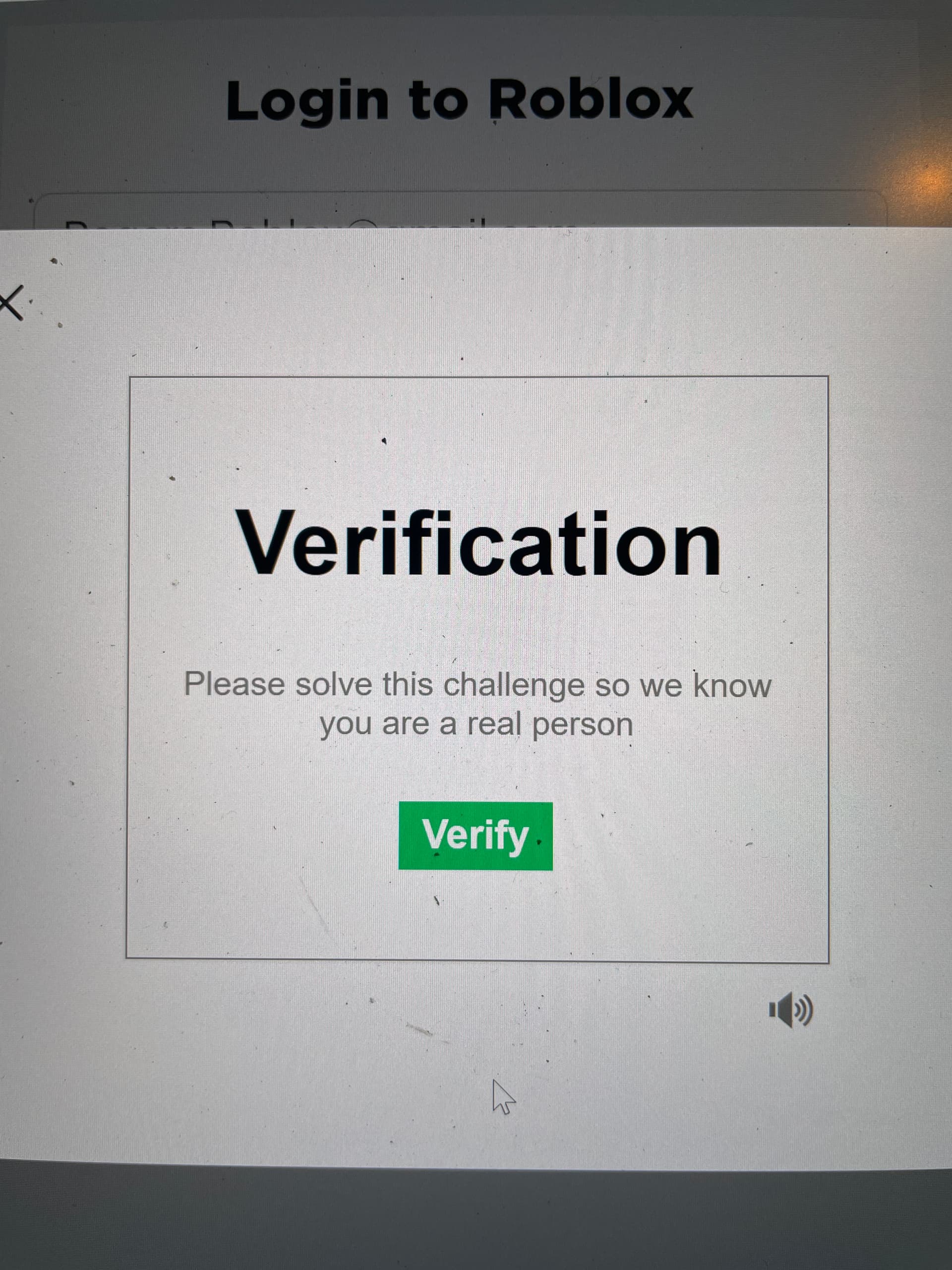
To easily pass Roblox CAPTCHA puzzles, focus on precision and patience. Carefully follow the instructions, whether it's rotating an object or selecting specific images. Take your time, ensure exact alignment or selection, and if you fail a few times, a new puzzle will typically appear. A stable internet connection helps prevent glitches. Don't rush, and a clear mind often leads to quick success.
Is Roblox identity verification safe for my personal data?
Yes, Roblox identity verification is safe. Roblox partners with secure, third-party services like Persona, which use encryption and comply with privacy regulations like GDPR. They process your ID and biometric data to confirm your age, but Roblox itself does not store your raw documents or biometric information long-term. This ensures your sensitive data is protected and used only for verification purposes.
What should I do if my Roblox phone verification code never arrives?
If your Roblox phone verification code isn't arriving, first check your spam or junk SMS folders. Ensure your phone number is entered correctly in your Roblox settings. Also, confirm your device isn't blocking messages from unknown numbers. If issues persist, try restarting your phone, waiting a few minutes, or initiating the verification process again. You can also try verifying via email if that option is available.
Tips & Tricks
What's the best way to complete Roblox age verification for voice chat?
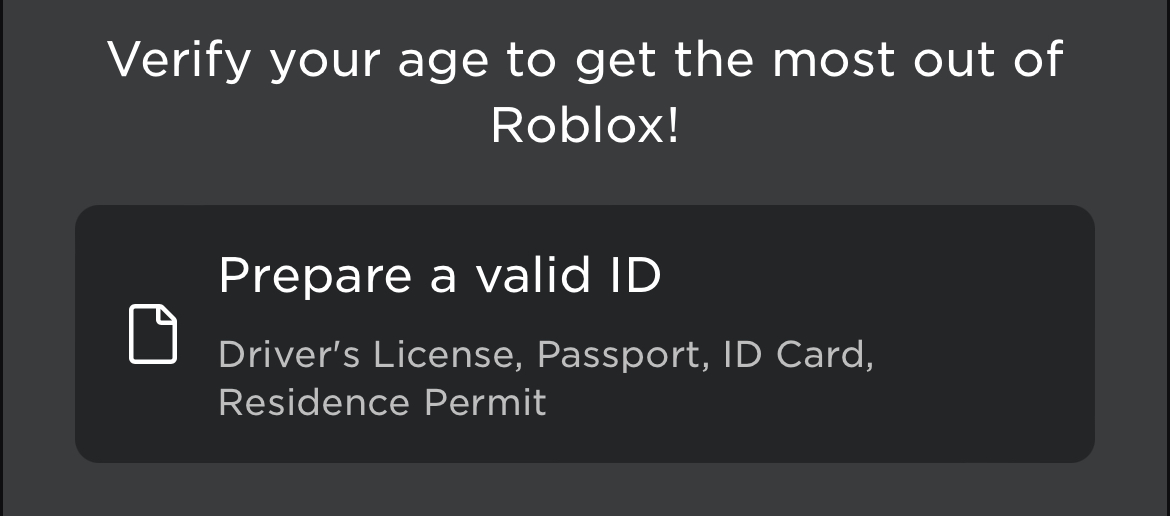
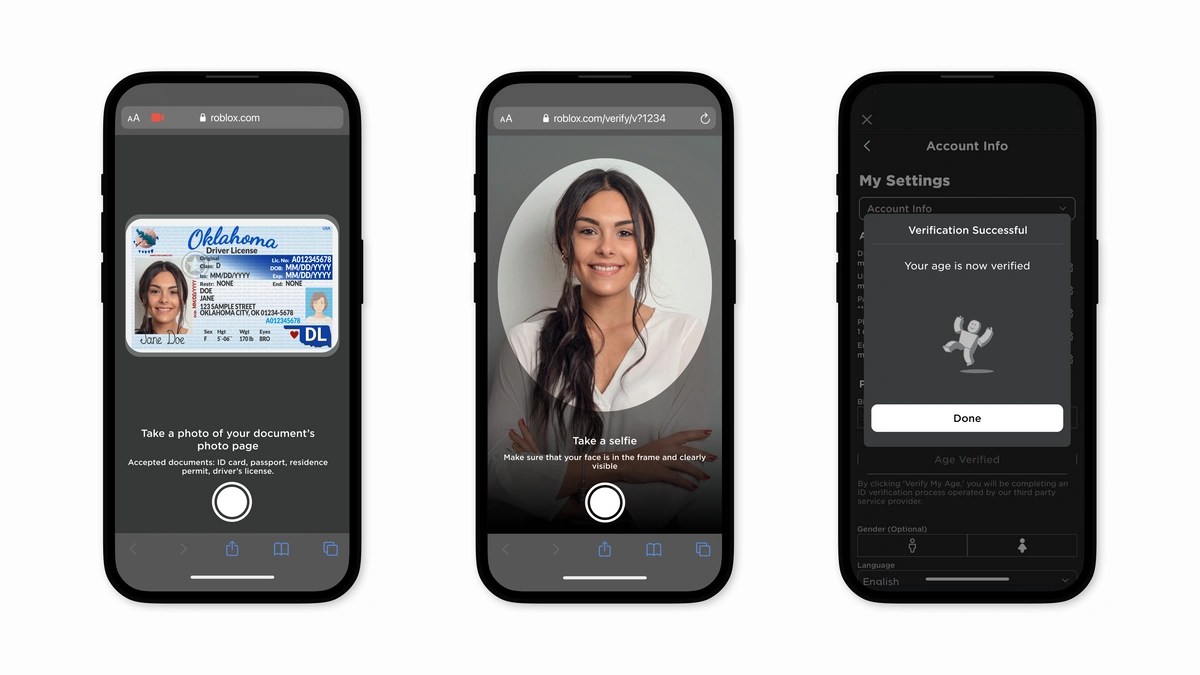
The best way to complete Roblox age verification for voice chat is to use a current, government-issued photo ID (like a passport or driver's license) and a device with a clear camera. Ensure you're in a well-lit area for both your ID scan and live selfie. Follow the on-screen prompts precisely, holding your ID steady. This quick process, handled by a secure third party, usually takes minutes and unlocks the voice chat feature.
How can I troubleshoot common Roblox verification errors?
To troubleshoot common Roblox verification errors, first check your internet connection for stability. For CAPTCHAs, ensure precision. For ID verification, guarantee clear photos of a valid, non-expired ID. Temporarily disable VPNs, ad-blockers, or browser extensions, as they can interfere. Clearing browser cache or trying a different device/browser often resolves technical glitches. If all else fails, contact Roblox Support.
Bugs & Fixes
Why is my Roblox identity verification failing repeatedly?
Roblox identity verification often fails due to blurry ID photos, expired documents, or inconsistencies between your ID and your live selfie (e.g., poor lighting, wearing glasses in one but not the other). Technical issues like unstable internet or browser conflicts (ad-blockers, VPNs) can also be culprits. Double-check all inputs, ensure optimal lighting, and try a different device or browser if the problem persists.
Still have questions?
If you've navigated through these FAQs and still have lingering questions about Roblox verification, don't worry! The world of online gaming security is constantly evolving, and sometimes unique situations arise. We recommend checking out Roblox's official Help Center for the most up-to-date troubleshooting guides and support articles. You can also explore community forums where fellow players often share their experiences and solutions. Remember, persistence is key, and help is always available.
For more related guides, check out our articles on 'Securing Your Roblox Account with 2FA' and 'Understanding Roblox Privacy Settings.' These resources provide even deeper insights into keeping your Roblox experience safe and enjoyable.
Ever found yourself staring at a Roblox verification screen, wondering, "Why am I stuck on this Roblox verification?" You're definitely not alone. It's a question many gamers, from new players to seasoned veterans, ask when they hit one of these roadblocks. Roblox, like many online platforms, uses verification processes to keep its community safe and to ensure players meet certain age requirements for specific features. These steps are super important for maintaining a secure and friendly environment for everyone. This detailed guide will walk you through everything you need to know about passing Roblox verification without a hitch. We will cover all the different types, from simple CAPTCHAs to more complex age and identity checks, giving you the best strategies for each one.
We understand how frustrating it can be to be eager to jump into a game or use a cool new feature, only to be stopped by a verification screen. That's why we've put together this extensive resource. We'll dive deep into current Roblox verification methods, offering practical advice and real-world tips that are easy to follow. You will learn about the common pitfalls to avoid and discover smart solutions to get you through quickly. Our aim is to make sure you have all the information necessary to confidently pass any Roblox verification you encounter. We're here to help you get back to building, playing, and socializing on Roblox with minimal fuss, ensuring your account is both secure and fully functional.
Beginner / Core Concepts
Here we tackle the fundamental questions that new players or those new to verification might have. Understanding the basics is always the first step to mastering any challenge on Roblox.
1. Q: Why does Roblox ask for verification in the first place?A: I get why this confuses so many people, especially when you just want to play! Roblox asks for verification primarily for two crucial reasons: security and age-appropriateness. On the security front, these checks, like CAPTCHAs, are designed to confirm you're a real human and not an automated bot attempting to create spam accounts or exploit the system. This helps protect your account from unauthorized access and keeps the platform safer for everyone. For age-appropriateness, Roblox uses more robust verification for features like voice chat, ensuring users meet the minimum age requirements set by laws like COPPA and to provide a safer experience for younger players. It's all about creating a trustworthy environment where everyone can have fun without worrying about bad actors. Think of it as a digital bouncer, making sure the party stays fun and safe for all guests. These layers protect user data and maintain the integrity of the game experience across millions of active players daily. You've got this! Understanding the 'why' makes the 'how' much clearer.
2. Q: What kind of verification steps will I encounter on Roblox?
A: This one used to trip me up too, because there isn't just one type! You'll primarily encounter a few common verification steps on Roblox, each serving a slightly different purpose. The most frequent are CAPTCHA puzzles, which pop up during login, account creation, or when performing sensitive actions. These usually involve rotating an object or selecting specific images to prove you're not a bot. Then there's email or phone verification, where Roblox sends a code to your registered contact to confirm your identity or secure your account. More recently, for advanced features like voice chat, Roblox has introduced age verification, which often involves submitting a photo of a government-issued ID and a live selfie through a secure third-party service. This step is a bit more involved but unlocks significant social features. Knowing which one you're facing helps you prepare mentally and gather the right tools. It's a range, from quick clicks to a few moments of photo snapping. Try to stay calm and follow the prompts, it's usually less daunting than it seems!
3. Q: Is Roblox verification safe to complete?
A: Absolutely, it's generally very safe to complete Roblox verification, especially when you're following the official prompts within the Roblox application or website. Roblox partners with reputable third-party identity verification services, such as Persona, for age verification. These services are designed with robust security protocols to protect your personal information, employing encryption and strict data handling policies. When you upload an ID or take a selfie, that data is processed by these specialized companies, not directly stored by Roblox indefinitely in a way that could compromise your identity. The main goal is to confirm your age or identity, not to store your personal documents long-term. Always make sure you're on the official Roblox site or app when doing this to avoid phishing scams. If it feels off, double-check the URL! You've got to protect your info, and Roblox does a good job of trying to help with that. You've got this, just be vigilant about official sources!
4. Q: I'm stuck on the image puzzle verification. What am I doing wrong?
A: Oh, the infamous image puzzles! I totally get why these can be frustrating; they're designed to be tricky for bots but sometimes they're tricky for humans too. If you're stuck, it's often a matter of precise interpretation or simply needing a fresh attempt. Many puzzles, especially the 'rotate the object' type, require very specific angles. Don't rush; take your time to align the object perfectly according to the example. Sometimes, clicking slightly away from the center of the object can make the rotation feel less intuitive. If you fail a few times, Roblox usually gives you a new puzzle, which might be easier. Make sure your internet connection is stable, as lag can sometimes make these puzzles unresponsive. Clearing your browser cache or trying a different browser/device can also resolve temporary glitches. Don't be afraid to take a breath and try again, focusing on precision. You've got this, persistence is key with these visual challenges!
Intermediate / Practical & Production
Now we're diving into the more common and practical challenges players face with Roblox verification, offering solutions that you can implement right away.
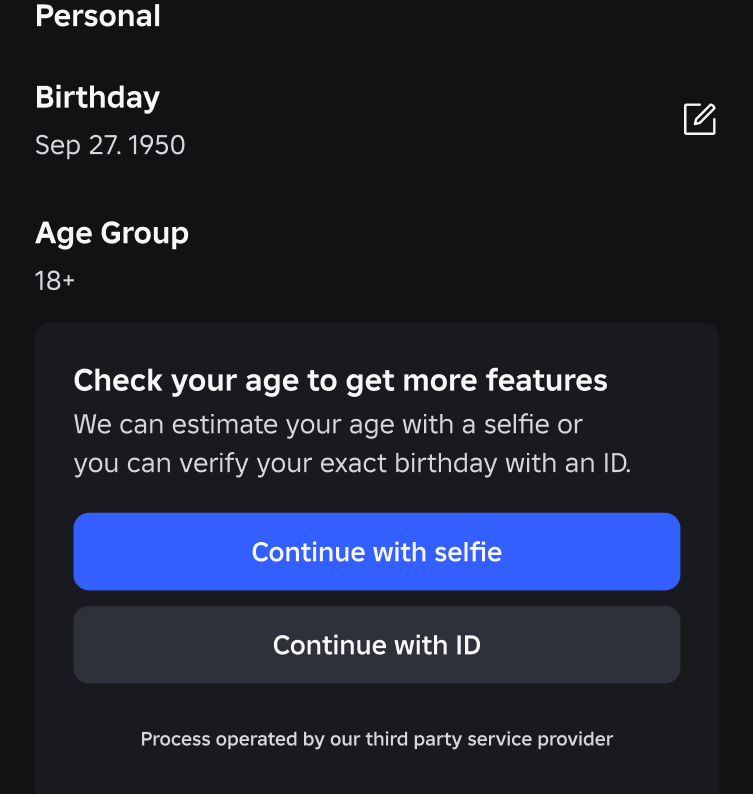
1. Q: How do I complete Roblox's age verification for voice chat?A: Completing Roblox's age verification for voice chat is a pretty straightforward process, but it does require a bit more effort than a simple CAPTCHA. To get started, you'll need a government-issued photo ID (like a driver's license, passport, or state ID) and a device with a working camera. Roblox partners with a third-party service, Persona, to handle this securely. You'll typically be prompted to start the verification process from your Roblox account settings under Privacy or Account Info. The steps involve scanning your ID using your device's camera and then taking a live selfie. Persona uses advanced technology to compare your face to your ID and confirm you're a real person and meet the age requirement (13+ for voice chat). Make sure you're in a well-lit area and hold your ID steady for clear photos. The process is designed to be quick, often taking just a few minutes, and is vital for unlocking safer social features. You've got this, just follow the clear on-screen instructions!
2. Q: What are the common reasons my Roblox verification might fail?
A: It's totally understandable to feel frustrated when verification fails, and it happens more often than you'd think! Common reasons for failure range from simple user error to technical glitches. For CAPTCHAs, rushing or misinterpreting the puzzle is a frequent culprit; precision is key. With email or phone verification, check your spam folder, ensure you've entered the correct contact information, and verify your device isn't blocking messages from unknown senders. For age verification using an ID, blurry photos, expired IDs, or inconsistencies between your ID and your live selfie (e.g., wearing a hat in one, not the other) can cause rejections. Also, using a VPN or having an unstable internet connection can sometimes interfere with the verification process. Always double-check your inputs, ensure good lighting for photos, and make sure your ID is current and readable. A little patience and attention to detail go a long way. You've got this, don't give up!
3. Q: Can I use a parent's ID for Roblox age verification?
A: This is a great question and one that comes up a lot! Unfortunately, you cannot use a parent's ID for Roblox age verification. The system is specifically designed to verify the age of the *account holder*. This means the government-issued ID you submit must match the person attempting to verify their age, which is usually the user of the Roblox account. Using someone else's ID, even a parent's, would be considered a mismatch and would lead to the verification failing. Roblox's primary goal with age verification is to ensure that the individual accessing age-restricted features, like voice chat, is indeed 13 years or older, as per safety regulations. If you're under 13, you won't be able to use these features, regardless of a parent's ID. It's a strict measure to protect younger users, and while it might be a bummer, it's for the best. You've got this, understanding the rules helps navigate the platform!
4. Q: How long does Roblox identity verification usually take?
A: The good news is that Roblox identity verification, particularly for age verification with a photo ID, is typically very fast! In most cases, if you've provided clear photos of your ID and a good selfie, the entire process can be completed in just a few minutes. The third-party verification system, Persona, uses automated technology to quickly compare your uploaded documents and biometric data. There might be occasional delays if the system requires a manual review, perhaps due to a slightly blurry image or an unusual ID format. In such rare instances, it could take a few hours, but it's not common to wait days. Make sure your internet connection is strong and you're in a well-lit environment to facilitate a quick scan. Patience is a virtue, but usually, you won't need much of it for this process. You've got this, expect a speedy turnaround!
5. Q: What should I do if my camera isn't working for face verification?
A: Ugh, tech hiccups are the worst, especially when you're trying to get something done! If your camera isn't cooperating for face verification on Roblox, don't panic. First, check your device's app permissions to ensure Roblox or your browser has access to the camera. Sometimes, a simple setting blocks it. Next, try restarting your device; a fresh boot can often clear up minor software glitches. If you're using a web browser, try a different one (Chrome, Firefox, Edge) or clear your browser's cache and cookies. It's also worth checking if your camera works in other applications to rule out a hardware issue. If you're on a desktop, make sure any external webcams are properly connected and drivers are up to date. As a last resort, if one device isn't working, try initiating the verification from a different device, like a smartphone or tablet, which often have more reliable cameras. You've got this, troubleshooting can feel like detective work, but it usually pays off!
6. Q: Are there any browser settings or extensions that can interfere with Roblox verification?
A: Oh yeah, absolutely! This is a super common reason why verification gets stuck, and it's a good one to check. Certain browser settings and extensions can definitely throw a wrench into the Roblox verification process. Ad-blockers, privacy extensions (like Ghostery or Privacy Badger), or even strict browser security settings can sometimes block the scripts or pop-ups necessary for verification to complete. These extensions might interpret the verification process as tracking or an unwanted ad, shutting it down prematurely. VPNs can also sometimes cause issues by making your connection appear to originate from an unexpected location, which might trigger security flags. A quick fix is to try temporarily disabling your extensions, especially ad-blockers, for the Roblox site. You can also try using an incognito or private browsing window, which often runs without extensions enabled, or switch to a different browser altogether. You've got this, a little tweaking can often clear the path!
Advanced / Research & Frontier
For the dedicated Roblox player and content creator, these questions delve into the deeper implications and future-facing aspects of Roblox's verification systems.
1. Q: What are the long-term implications of not passing Roblox verification, especially for content creators?A: For casual players, not passing basic verification might mean intermittent login issues, but for content creators, the implications are significantly more substantial. If a content creator consistently fails verification, they could be restricted from accessing crucial platform features necessary for their craft. This includes things like developer exchange (DevEx), where earned Robux is converted into real money, which often requires robust identity verification. Without proper age verification, they might be unable to use voice chat for collaborative projects or live streams, hindering community engagement and content quality. Furthermore, repeated failures could lead to account flags or even temporary suspensions, impacting their ability to publish or update experiences. In the long run, it could stunt their growth, limit their monetization potential, and reduce their reach within the Roblox ecosystem. It's not just about playing; it's about building a career, and verification is a gateway. You've got this, prioritize getting it right for your future on Roblox!
2. Q: How does Roblox's verification system evolve with new security threats?
A: Roblox's verification system isn't static; it's a living, breathing defense mechanism that continuously evolves to combat new security threats, which is super important in the ever-changing digital landscape. As bots become more sophisticated and new types of phishing or account takeover attempts emerge, Roblox and its third-party partners are constantly updating their algorithms and methodologies. This means they might introduce new CAPTCHA variations, enhance biometric analysis for age verification, or integrate more advanced multi-factor authentication methods. They analyze patterns of fraudulent activity to pre-empt future attacks, essentially playing a high-stakes game of cat and mouse with bad actors. These updates are often rolled out subtly, designed to improve security without overly burdening legitimate users. It's a continuous arms race, but Roblox invests heavily to stay ahead, ensuring the platform remains safe and reliable for its millions of users. You've got this, knowing it's always improving offers peace of mind!
3. Q: What specific data does Roblox collect during identity verification and how is it protected?
A: This is a fantastic and critical question, especially with today's focus on privacy! During identity verification, particularly for age verification, Roblox (via its partner Persona) typically collects images of your government-issued ID (like a passport or driver's license) and a live selfie. From these, they extract key pieces of information such as your date of birth, document number, and a biometric scan of your face. Crucially, Roblox itself doesn't store your raw ID documents or your biometric data long-term. Persona processes this data, confirms your age and liveness, and then shares only the *result* (e.g., 'verified age 13+') with Roblox. The data collected by Persona is highly encrypted and handled according to strict privacy standards like GDPR and CCPA. They use advanced security measures to prevent unauthorized access and typically delete the original images after a short retention period necessary for verification and auditing, ensuring your sensitive data isn't sitting around indefinitely. You've got this, understanding data handling is key to digital trust!
4. Q: Can I appeal a rejected Roblox identity verification, and what's the process?
A: Yes, you absolutely can appeal a rejected Roblox identity verification, and I totally get why you'd want to if you believe it was an error! If your verification is rejected, you'll typically receive a notification from Roblox detailing the reason for the rejection, such as a blurry ID photo, an expired document, or a mismatch in the selfie. Your first step should be to carefully review the reason provided. Often, the best course of action is simply to re-attempt the verification process, ensuring you correct the identified issue. For example, if it was a blurry photo, find better lighting. If you believe there's a technical error or a persistent issue, you can reach out to Roblox Support directly. They might ask for screenshots or more details about your attempts. Be polite and provide as much information as possible. While there isn't a formal 'appeal' button for the automated system, re-attempting with corrections and contacting support for persistent problems is the effective way to resolve it. You've got this, a little persistence can go a long way!
5. Q: What are the best practices for maintaining strong Roblox account security after verification?
A: Passing verification is a huge win, but maintaining strong account security afterwards is just as important for peace of mind! First and foremost, enable Two-Step Verification (2SV) immediately if you haven't already. This adds an extra layer of protection, requiring a code from your email or authenticator app every time you log in from a new device. Secondly, create a unique, strong password that you don't use for any other accounts. Think long and complex, mixing upper and lowercase letters, numbers, and symbols. Be wary of phishing scams; Roblox will never ask for your password via unofficial links or messages. Avoid clicking suspicious links or sharing account details with anyone, even 'friends' who promise free Robux or items. Regularly check your account settings for any unfamiliar activity. Keeping your contact information (email, phone) up-to-date also helps with recovery if something goes awry. Stay vigilant, stay secure! You've got this, these habits will keep your account locked down tight!
Quick Human-Friendly Cheat-Sheet for This Topic
- Take a Deep Breath: Verification can be annoying, but rushing often leads to more failures. Patience is your superpower here!
- Light it Up: For any photo ID or selfie verification, find a well-lit spot. Blurry pictures are the #1 reason for rejections.
- Check Your Tech: Make sure your camera works, your internet is stable, and temporarily disable any ad-blockers or VPNs if you hit a wall.
- Official Channels Only: Always verify through the official Roblox app or website. Never click sketchy links claiming to be Roblox.
- ID Must Match: If doing age verification, use *your* current government ID. No parents' IDs, no expired documents.
- Two-Step All The Way: Once you're verified, enable 2SV! It's like adding an extra lock to your digital front door.
- Ask for Help: If you're genuinely stuck, don't hesitate to reach out to Roblox Support. They're there to guide you through it.
Roblox verification steps, Age verification for voice chat, CAPTCHA solutions, Account security tips, Identity verification guide, Troubleshooting common errors, Privacy concerns addressed, Fastest ways to verify, What to do if verification fails, Understanding Roblox's security.
35


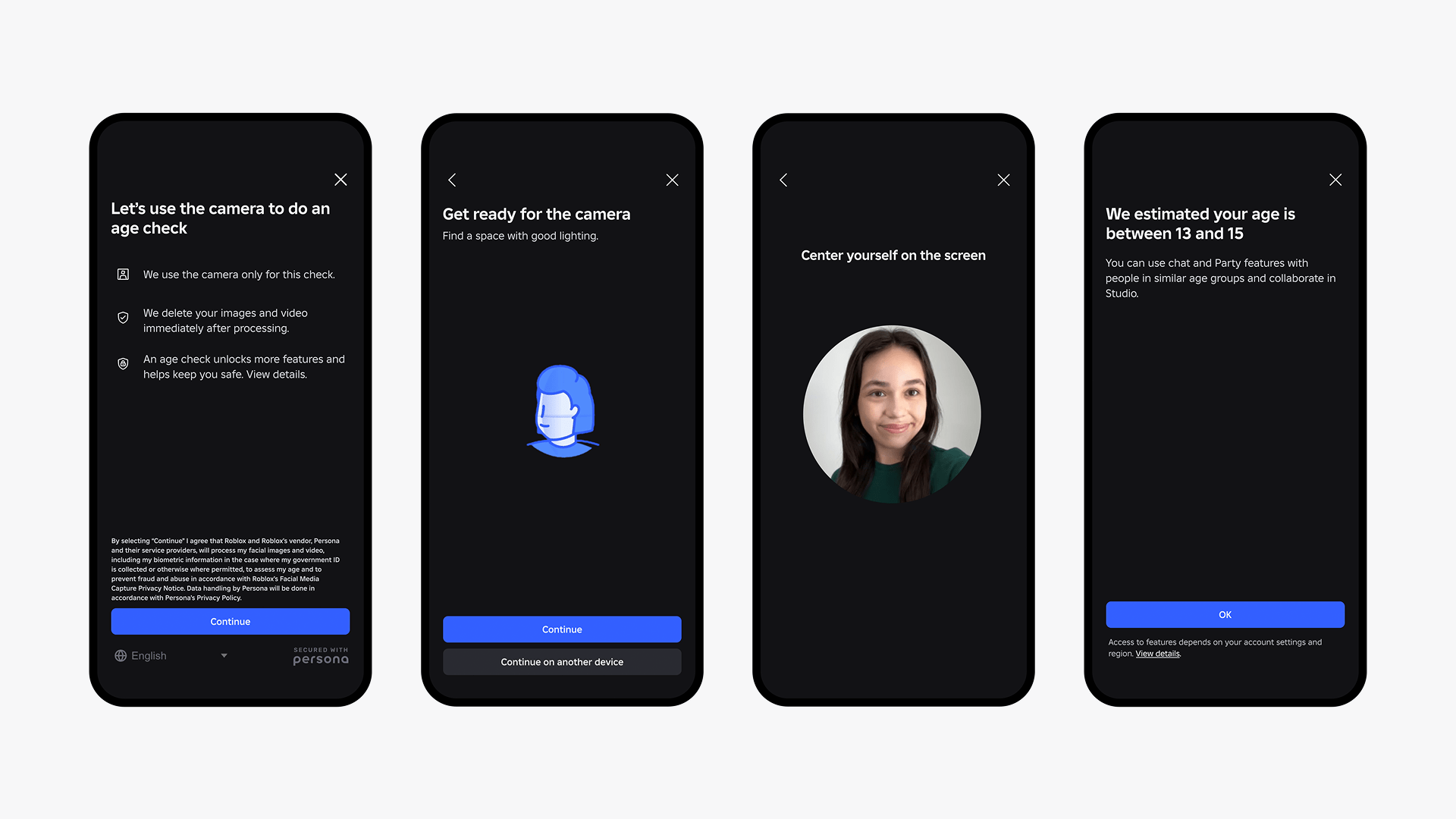
Roblox Age What Parents Need To Know. Roblox S AI Powered Age Is A Complete Mess WIRED Roblox Age Culture 2247401752 . New Roblox Age Features Video. Roblox To Verify Age Of Certain Teen Users Mashable Hero . Roblox Now Requires All Users Globally To Complete Age Checks To Access EN Age Check Flow 1


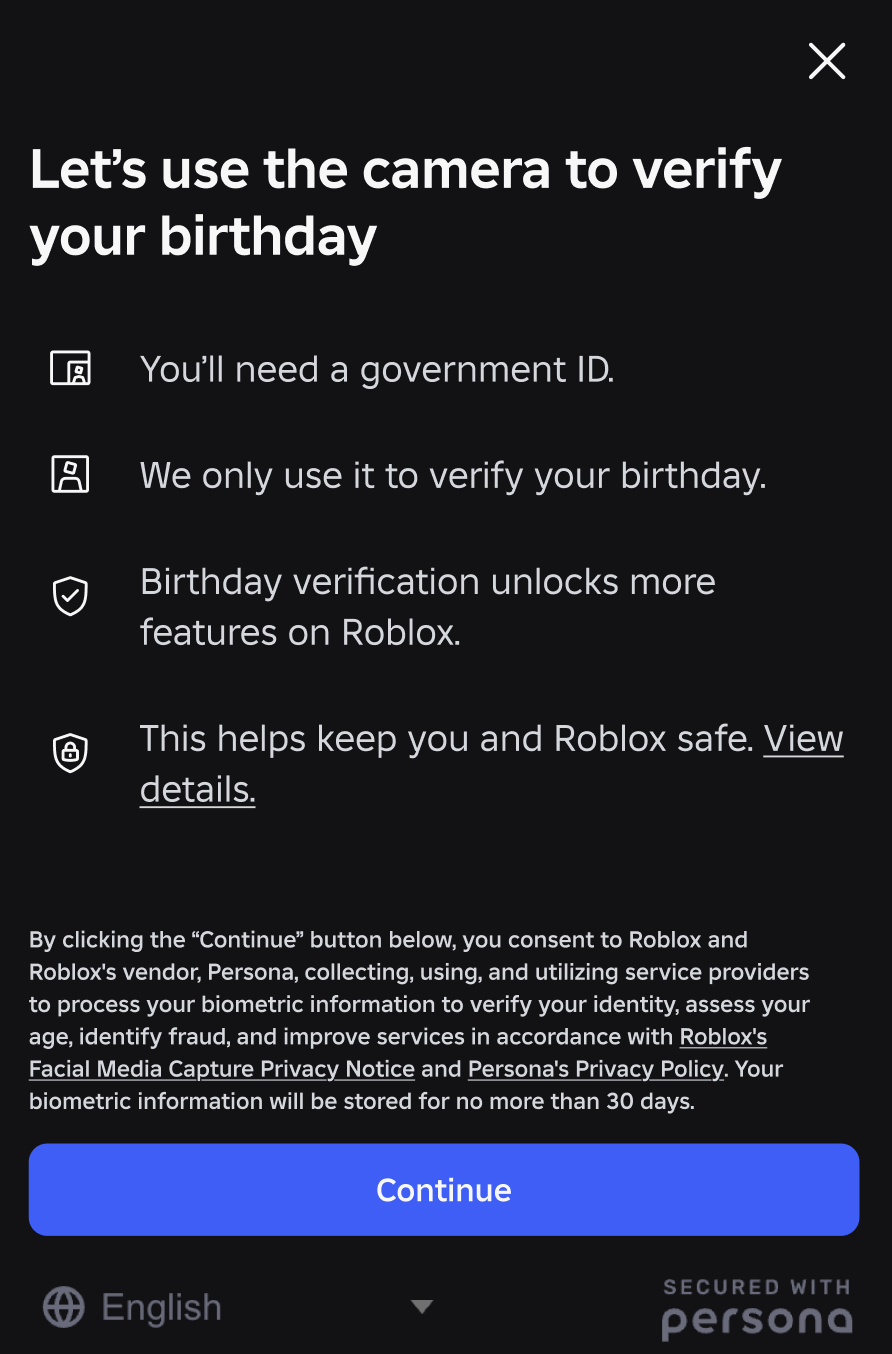

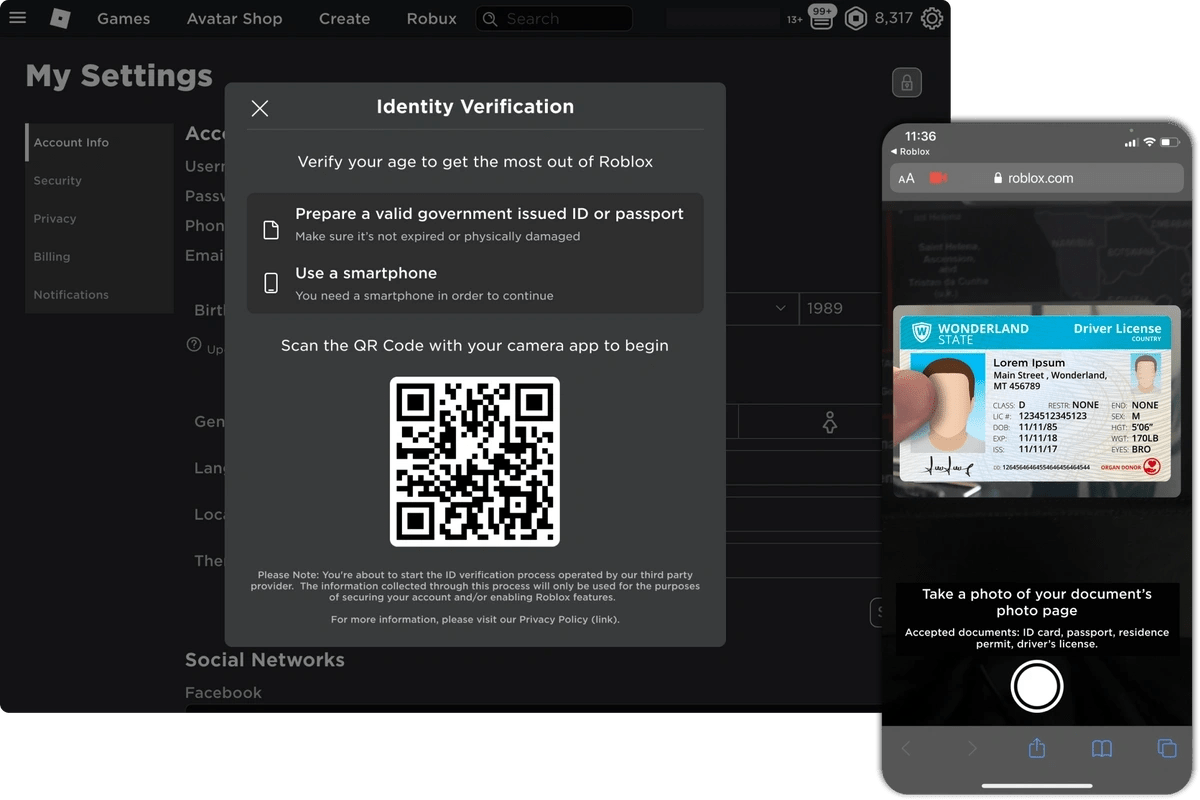
Age ID Roblox Support. How To Verify Id On Roblox YouTube . Opsi Untuk Usia Dengan Selfie Atau ID Verify With ID . How To Turn On 2 Step Roblox At Harry Stedman Blog . Introducing Age Roblox


Roblox Decal Bypass Method Why Roblox Decal Bypass Method How To Bypass Roblox Age . Roblox 2026 How Can Players Get Verified V4 460px 14414001 5 . How To Verify Your Age On Roblox 2025 YouTube . How To Get Verified On Roblox FAST Verify Roblox Badge In Minutes 800x450. 2 Step Not Working Codes Not Sending
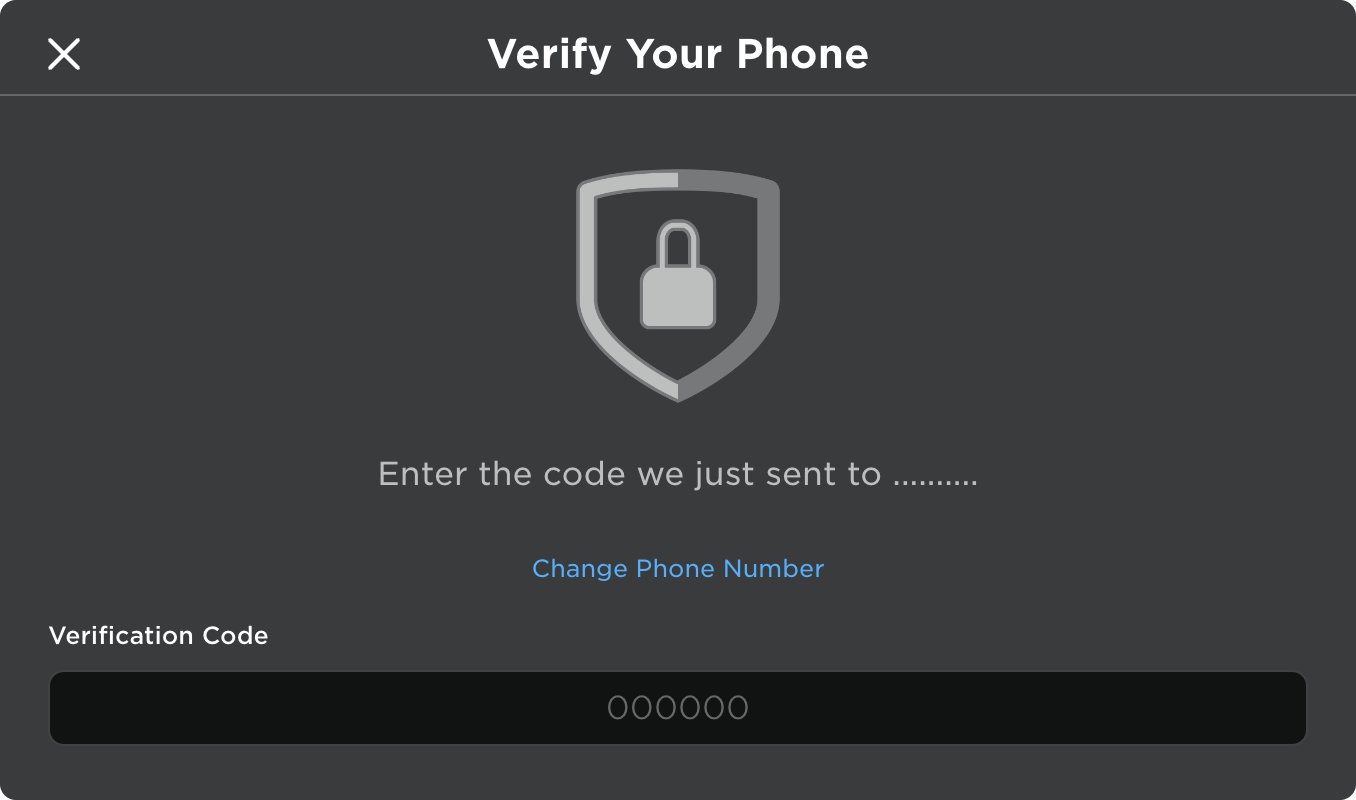


X C Minh T I Kho N T I Li U Trung T M Nh S Ng T O Roblox Verify Phone Dialog . Introducing 2 Step With A Second Device . How Do I Complete The To Log Into The Website Or Studio . How To Fix Roblox Age Not Working Roblox Age . Opcja Weryfikacji Wieku Za Pomoc Selfie Lub ID Verify Birthday


Roblox VC With An Expired Passport Platform Usage . Roblox Voice Chat Llkaiwant . How To Make A Game Pass In Roblox 2026 Step By Step Guide Game Pass Roblox.webp. Unable To Complete ID Other Bugs Developer Forum Roblox 2 421x748 . Roblox Age Issues Platform Usage Support Developer



How To Skip Roblox 875817691 Orig . 12 Roblox. Roblox. Roblox In 2026 Play On Roblox NoFilter. Passport For Roblox I


How To Verify Your Age On Roblox Updated Way 2025 YouTube . How To Verify Your Age On Roblox Full Guide YouTube . How To Get Verified On Roblox Easy YouTube . How To Enable 2 Step App For Roblox YouTube . How To Turn On 2 Step In Roblox Step By Step YouTube